Blog and automatic posts
The blog on your website is run from MeridianOS™. You can write posts yourself, have MeridianAI write a draft for you to review, or let new posts publish on a schedule you set.
Open Posts under Growth. The page is titled Your Website Blog Posts. You need an admin login to use it. Published posts appear on the blog on your website.
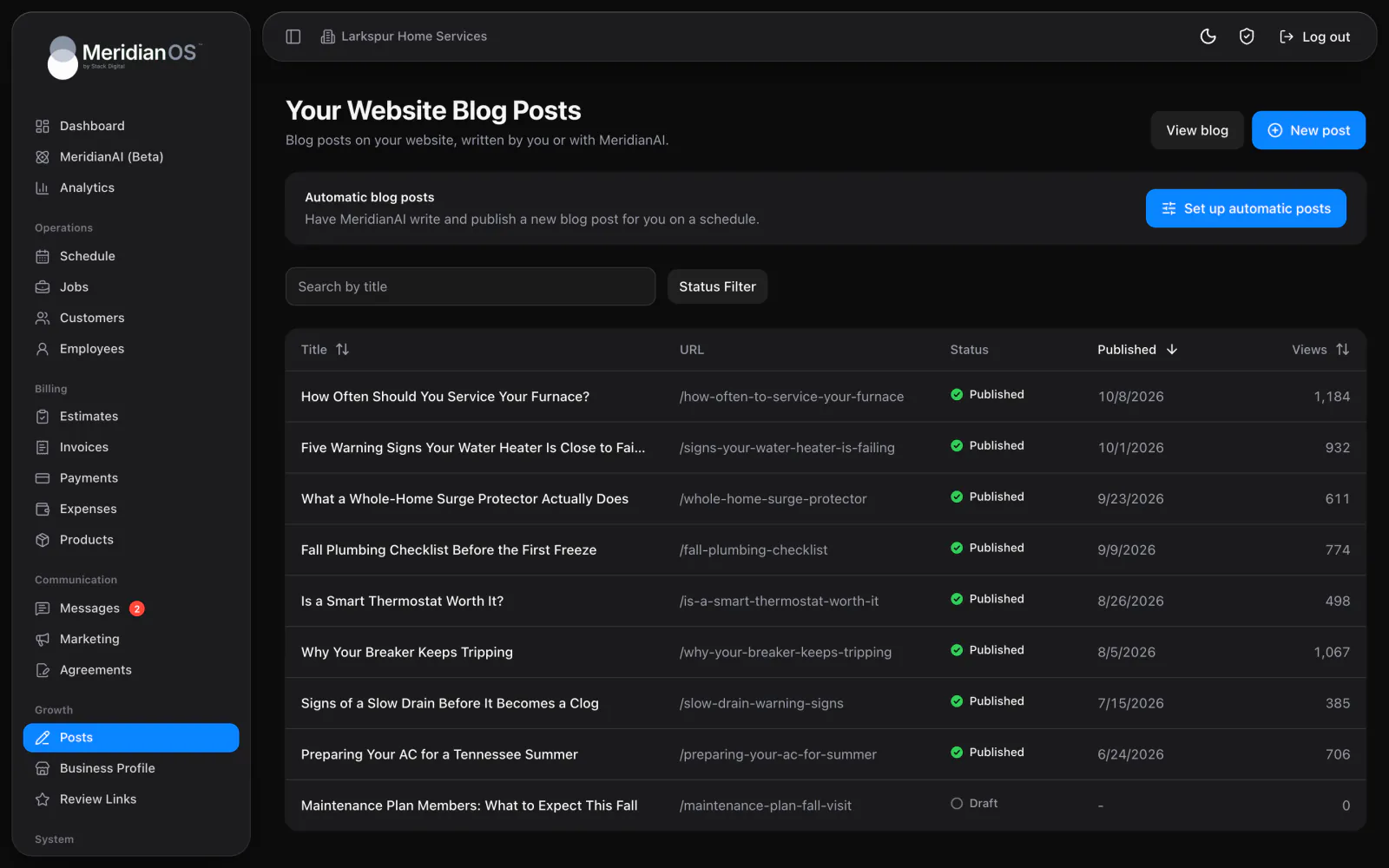
The posts list
The page lists every post on your blog, whether it is a draft or published.
- Search posts by title.
- Filter by status: All, Draft or Published.
- Sort the list by the Title, Published or Views column.
Views shows how many times a post has been read on your website. Each visitor is counted once per session, and counting is rate limited.
Write and publish a post
- Select New post and enter a title of up to 70 characters.
- Edit the post's title, URL and content. Each of these is edited separately.
- Select Publish when the post is ready.
- Select View post to see it on your website.
Unpublish takes a published post off your blog. Deleting a post asks you to confirm first.
The editor
The content editor has these tools.
| Tool | What you can do |
|---|---|
| Text styles | Bold, italic and underline. |
| Headings | Two heading levels. |
| Lists and quotes | Bullet lists, numbered lists and quotes. |
| Links | Add a link, or add a phone link in one click. |
| Images | Upload PNG, JPG, WebP or GIF files of up to 5 MB. |
| Embed video | Embed a video from its link on a supported video site. |
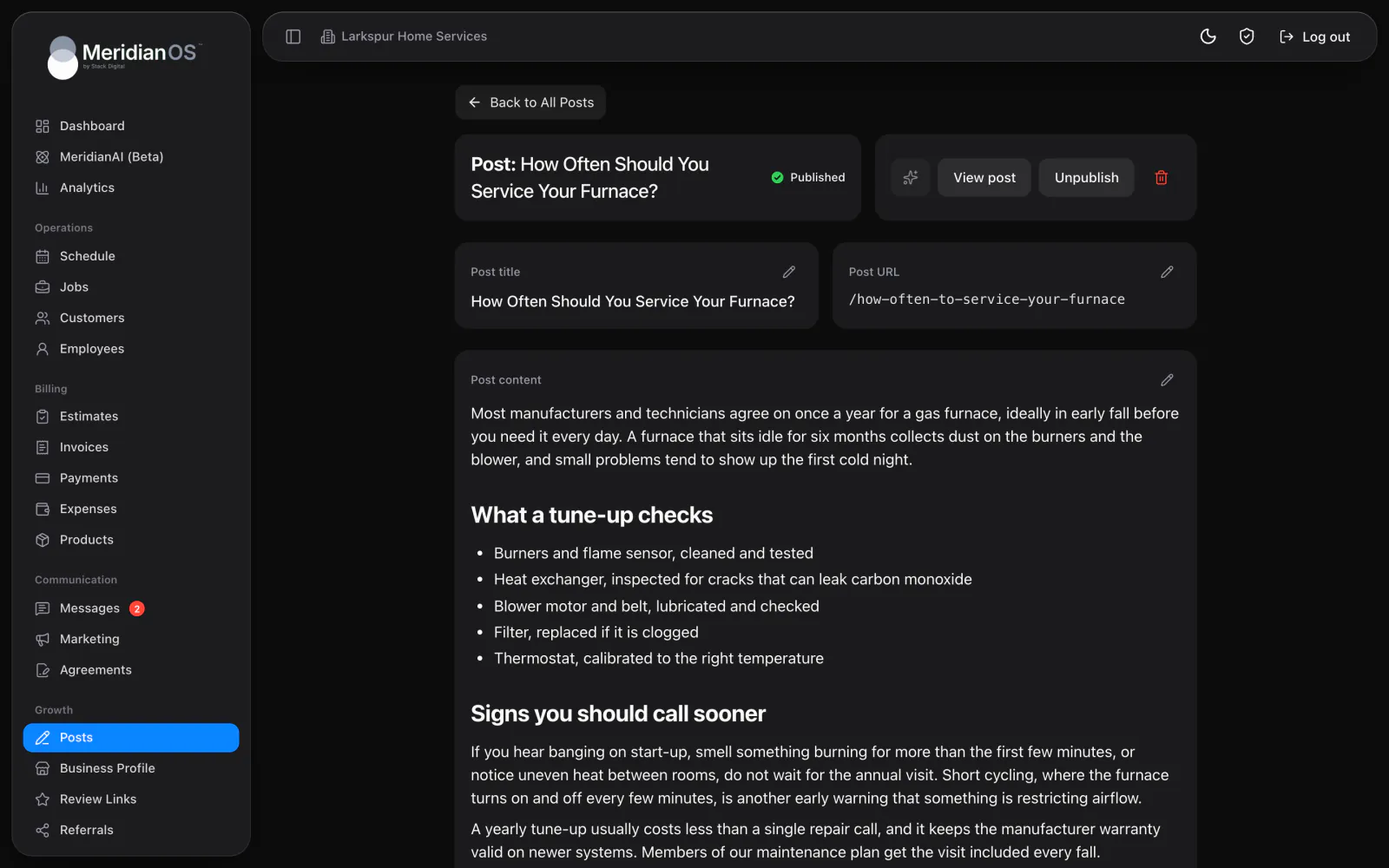
Write a post with MeridianAI
Generate post with MeridianAI writes a complete post: a title, a URL and a body of around 600 words. The post is saved as a draft, so you review it before it goes live. MeridianAI is told the titles of your existing posts, so it picks a different subject.
What MeridianAI writes is driven by a prompt that you control.
| Part | What it does |
|---|---|
| MeridianAI Prompt | Up to 6,000 characters describing your business, your customers, the topics to cover and the tone. You can edit it. |
| Company name and phone | Taken from Settings. |
| Call-to-action link | Optional. It is used for the Contact Us links in a post. |
Generate post with MeridianAI is disabled until a prompt exists. Writing with MeridianAI also needs MeridianAI set up on your site. Stack Digital turns this on for your site.
Automatic blog posts
Turn on Write and publish posts for me on a schedule and MeridianAI writes and publishes blog posts without you starting each one.
| Setting | Choices |
|---|---|
| How often | Every week, Every other week, Every month or Every quarter. |
| Day | A day of the week, or a day of the month from 1 to 28. |
| Time window | An earliest time and a latest time. |
Each post goes live at a random time inside your window, so posting looks natural. The card shows the time of the next post and the result of the last one.
Automatic blog posts publish directly. The blog has no option to hold them for your approval. If a post is written and then fails to publish, it is kept as a draft with a Review draft link.
Search details written for you
The first time you publish a post, MeridianOS™ generates the details that search engines and social networks show for it.
| Detail | How it is made |
|---|---|
| Search title | Generated automatically. Your brand name is added only when the whole title fits in 70 characters. |
| Description | Up to 155 characters. It doubles as the excerpt on your blog list. |
| Keywords | Generated automatically. |
| Social sharing title and description | Generated for when the post is shared. |
What your website does with a post
- Each post carries article details and breadcrumbs that search engines read.
- Each post appears in your sitemap.
- Each post shows three related articles.
MeridianOS™ reads your sitemap every hour and notifies participating search engines of new, changed and removed pages. It re-checks page content once a day to catch edits. This covers your whole public website, including pages outside the blog.
To post to Google and social networks, see Google Business Profile, reviews and listings and Social posting.
Related
- Social postingConnect Facebook, Threads, LinkedIn, X and Bluesky, then post by hand or on a schedule within each network's limits.
- Google Business Profile, reviews and listingsConnect Google, edit your listing, keep other listings matched, reply to reviews and publish Google posts.
- MeridianAIHow to talk or type to MeridianAI, what it can look up and change, how it asks first, and how credits work.
- Website analytics and Google AdsHow to read your website visitor numbers and Google Ads results on the Analytics page, and how to connect Google Ads.
- Blog and automatic posts overviewA blog on your own site that can write and publish on a schedule.
Updated November 10, 2026.