Employee portal. Each employee sees their own schedule and what they have earned this pay period.
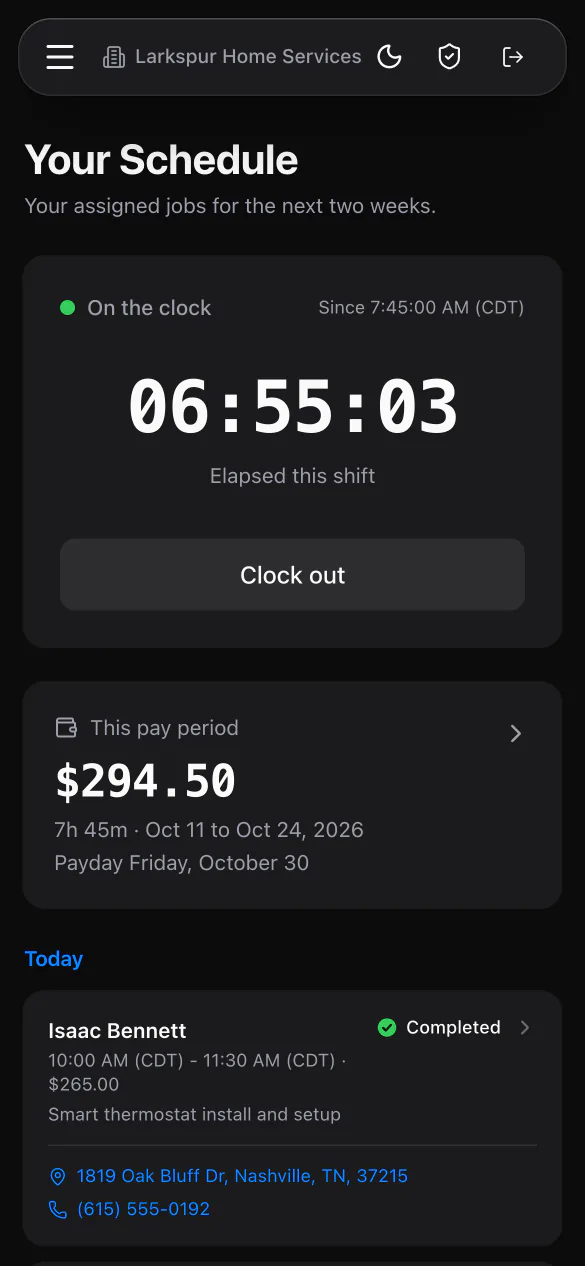
Add employees with a calendar color and employment type, then give the ones who need it a portal login. One switch decides who can take payments, and changing someone's access signs them out everywhere at once.
Calendar colors. Each person gets one of 20, shown as a dot on their jobs.
W2 and 1099. Mark each person as an employee or a contractor.
One payment switch. Collect payments decides who can take money and set job amounts.
Signed out everywhere. Remove access or change a password and every session ends at once.
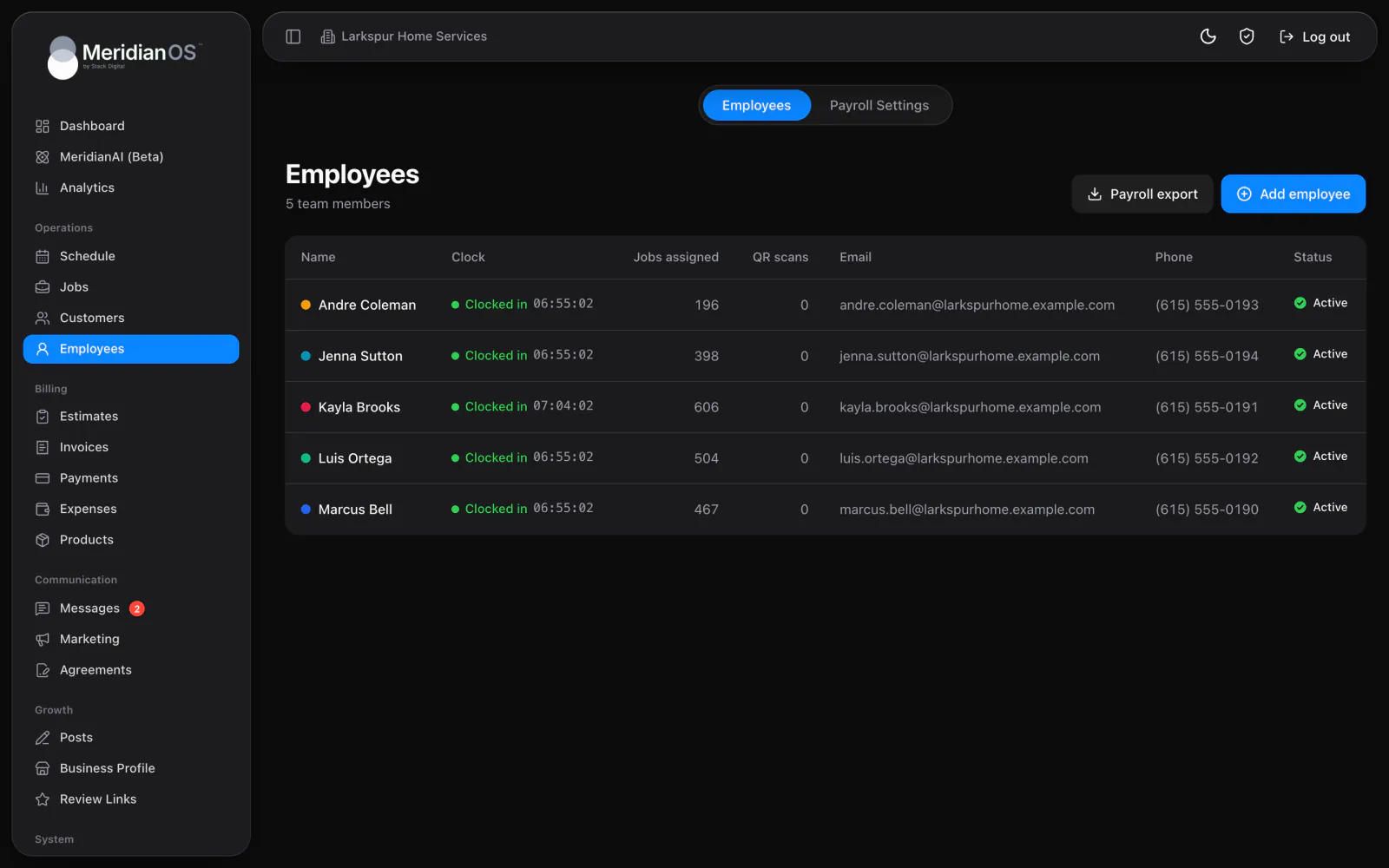
Add an employee with a first name, then fill in last name, email, phone and a calendar color as you go. The list shows each person's clock status, jobs assigned, review QR scans and contact details, with a badge on contractors. Deactivate someone who leaves and activate them again if they return.
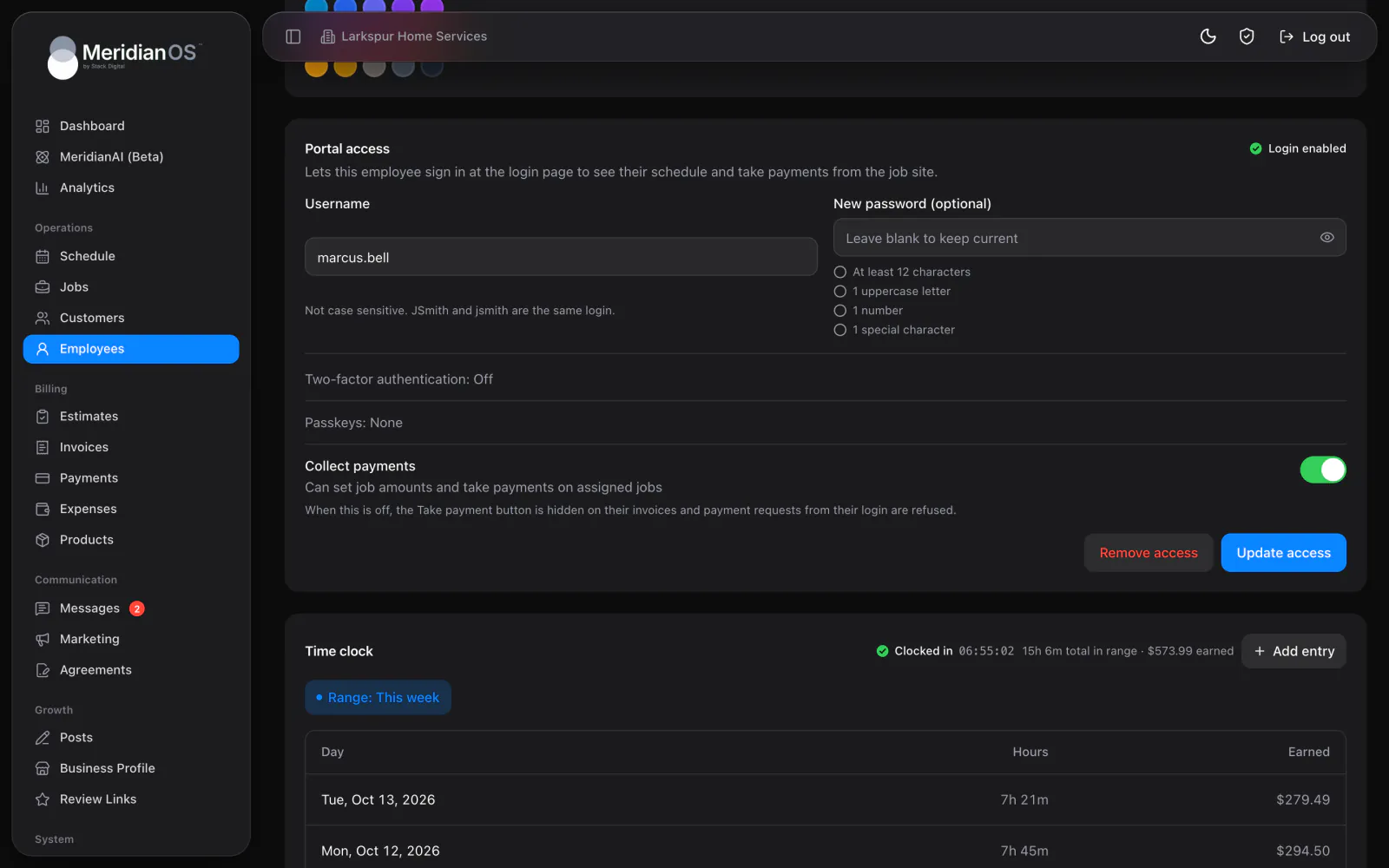
Give an employee a username and a password that meets the same rules as yours. The Collect payments switch lets them set job amounts and take payments on their assigned jobs. Turn it off and the Take payment button disappears, and MeridianOS™ refuses any payment attempted from their login.
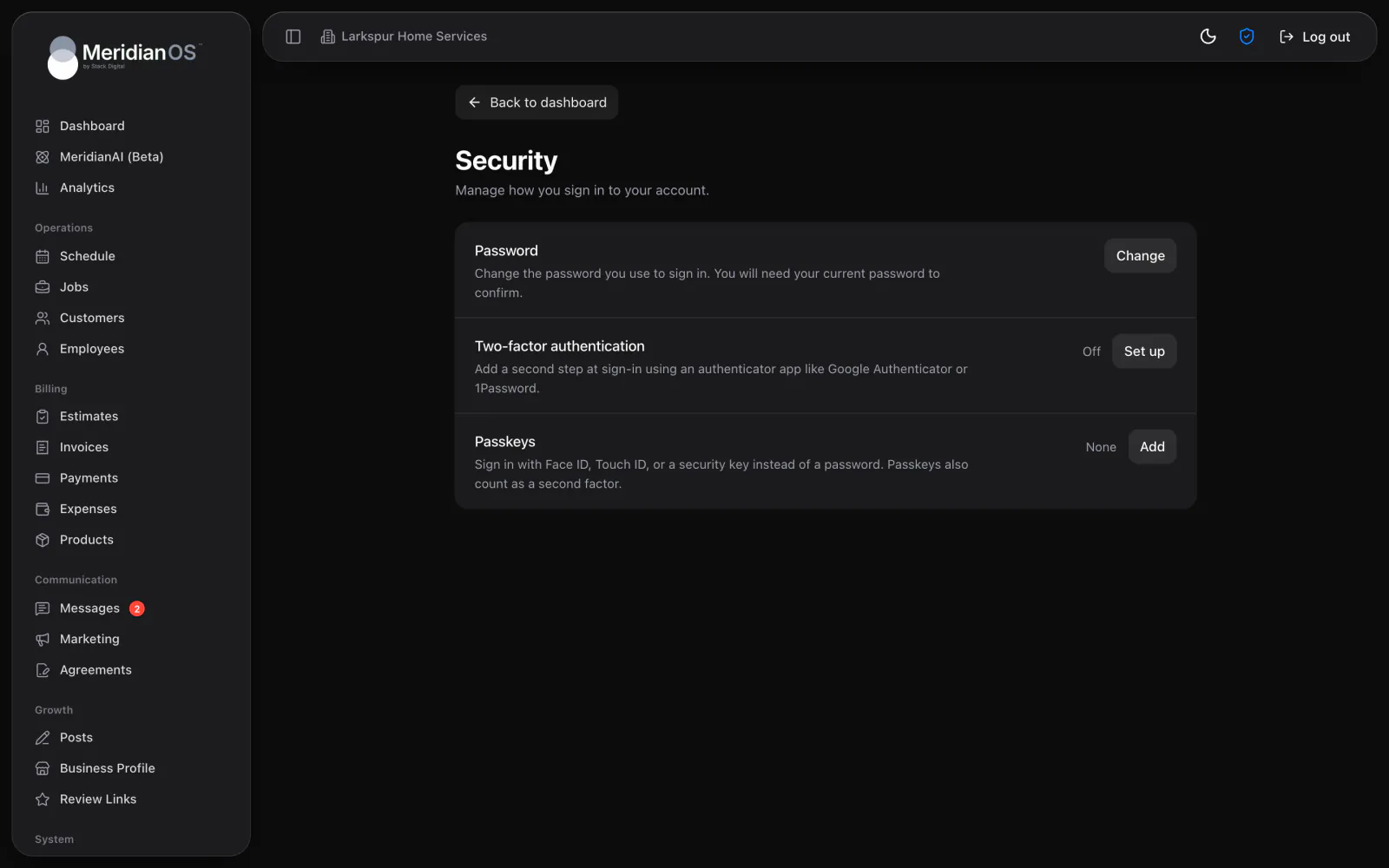
Employees sign in on the same page as you, and they can add an authenticator app or a passkey with Face ID or Touch ID. Anyone who signs in with only a password is prompted to secure their account. Change an employee's password or remove their access and every session they have ends.
MeridianOS™ checks the Collect payments switch on every payment request it receives. An employee with it off cannot take money or change job amounts from any screen or device.
An employee with hours or completed jobs on record cannot be deleted. Deactivate them and their hours and pay history stay on file.
Employees can open only the jobs assigned to them, along with the invoices and text threads tied to those jobs. The rest of your business stays out of their portal.
A username cannot match another employee or any admin, and capital letters do not matter. Two people can never end up sharing a login by accident.
Yes. Turn Collect payments on or off for each person. With it on they can set job amounts and take payments on their assigned jobs, and with it off the payment options disappear.
No. Anyone you add can be assigned to jobs without a login. Give them portal access when they should see their own schedule and clock in.
Deactivate them or remove their access, and every session they have ends at once. Their jobs and hours stay on record.
An admin can press Reset 2FA or Remove passkeys on the employee's page. They sign in with their password and set up a new second step.
We will show you employee logins and the Collect payments switch on a live system. Tell us what you do and we will reply within the hour.