Scheduling. The whole week on one calendar, with every job and who is on it.
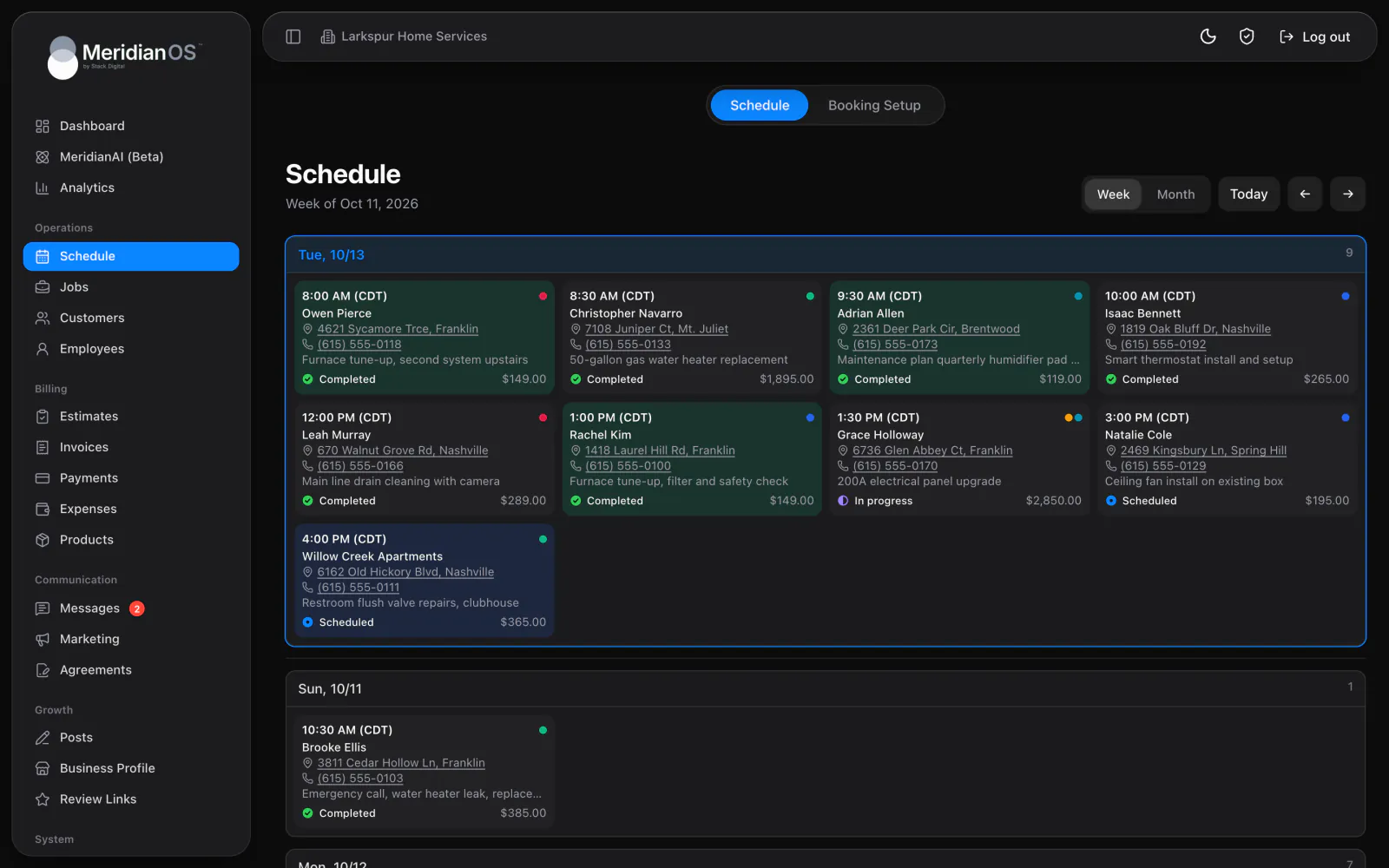
Choose how a job repeats, from daily to yearly, and MeridianOS™ creates the visits about four months ahead. At week end or month end it can also draft one invoice per customer for you to review.
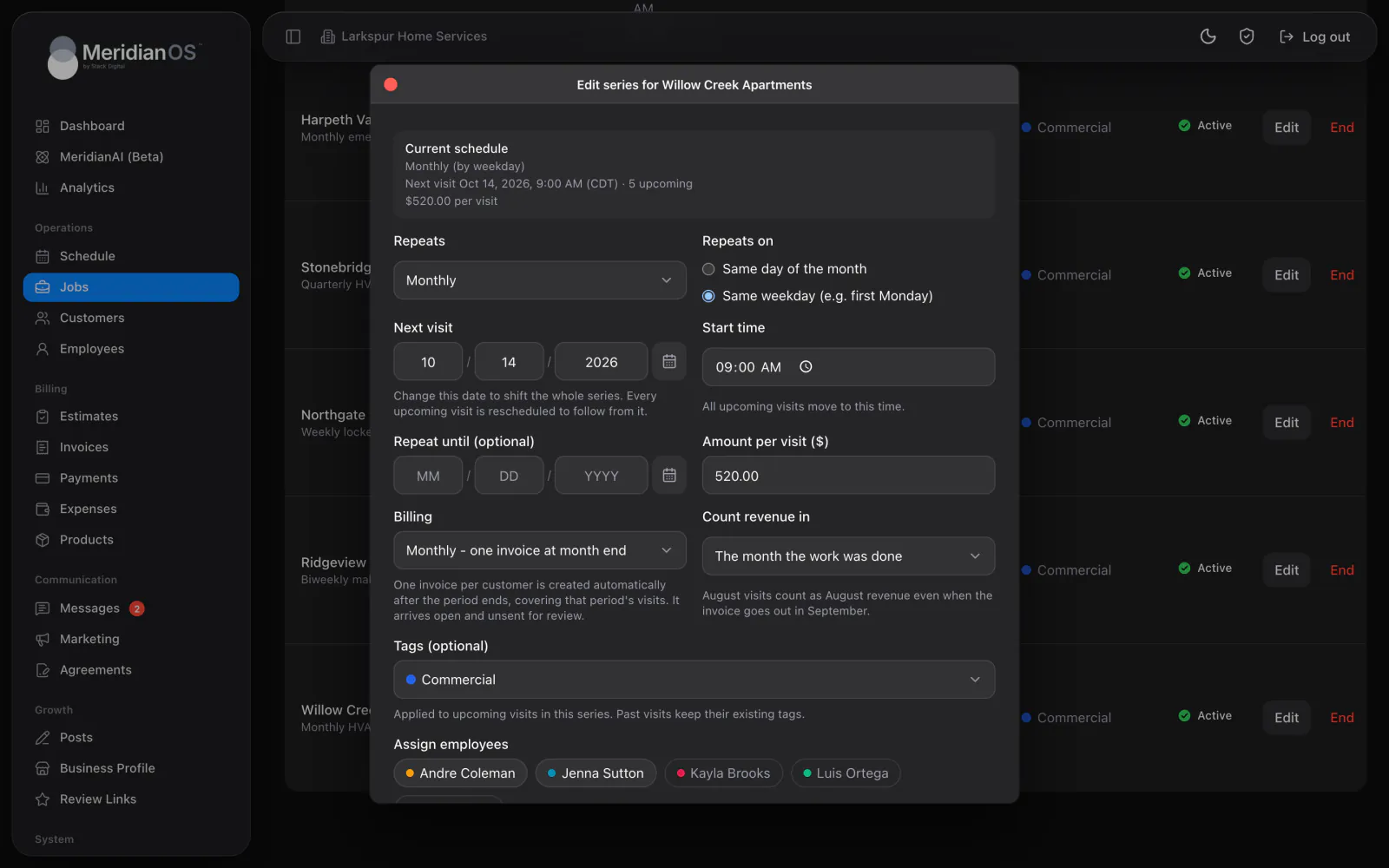
Daily to yearly. Eight repeat patterns, from every day to once a year.
Third Tuesday rules. Monthly jobs can follow a weekday, like the third Tuesday.
Months ahead. Visits are created about four months out and topped up on their own.
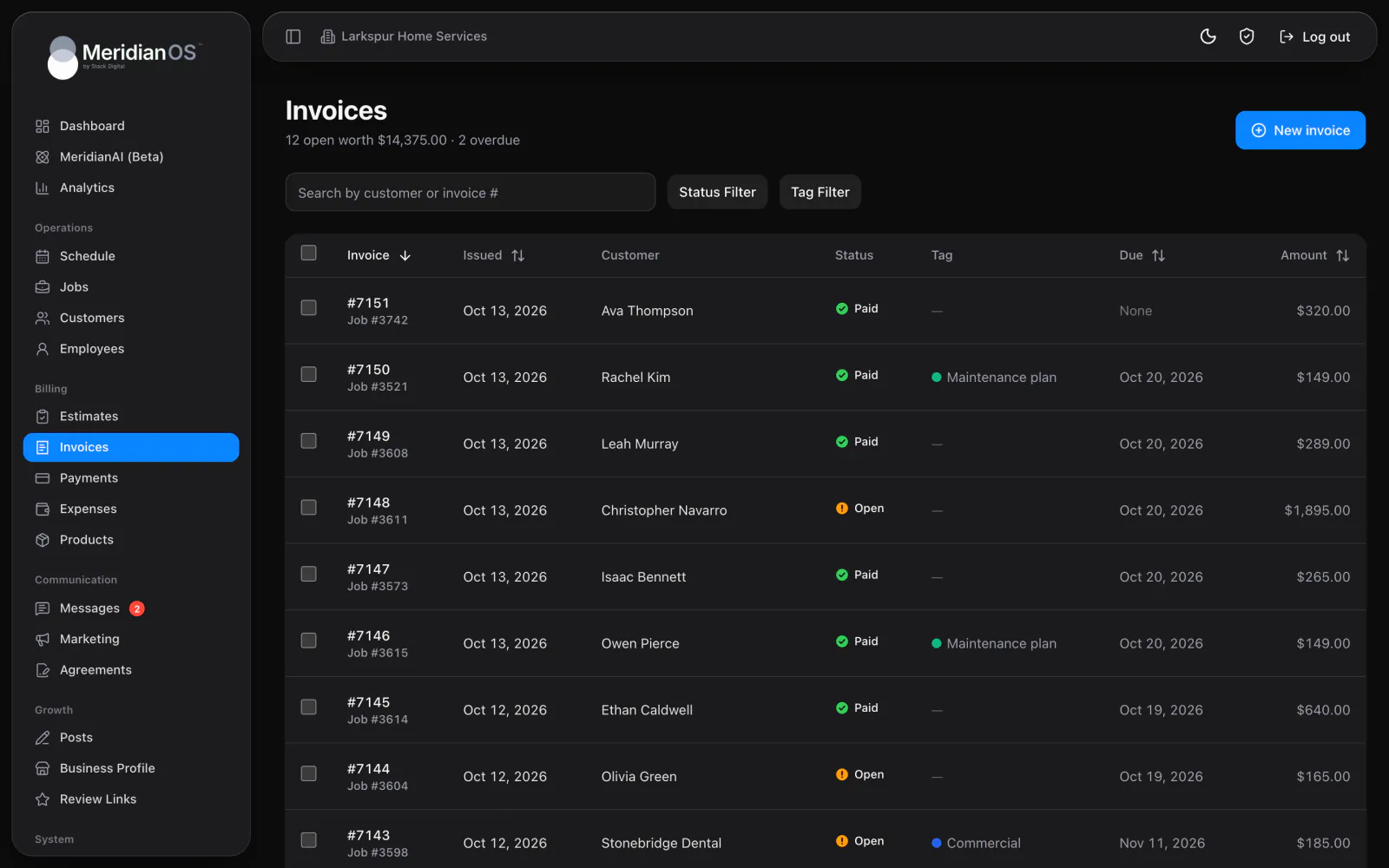
Roll-up invoices. One invoice per customer at week end or month end.
Pick how a job repeats, anywhere from every day to once a year. Weekly jobs can run on the weekdays you choose, and monthly jobs can follow a date like the 15th or a weekday like the third Tuesday. Add a Repeat until date, or leave the series open.
MeridianOS™ creates the visits for each series about four months ahead and keeps topping them up as time passes. Every new visit copies the customer, address, description, amount, tags, assigned team, and visit length from the one before. The week view fills in on its own.
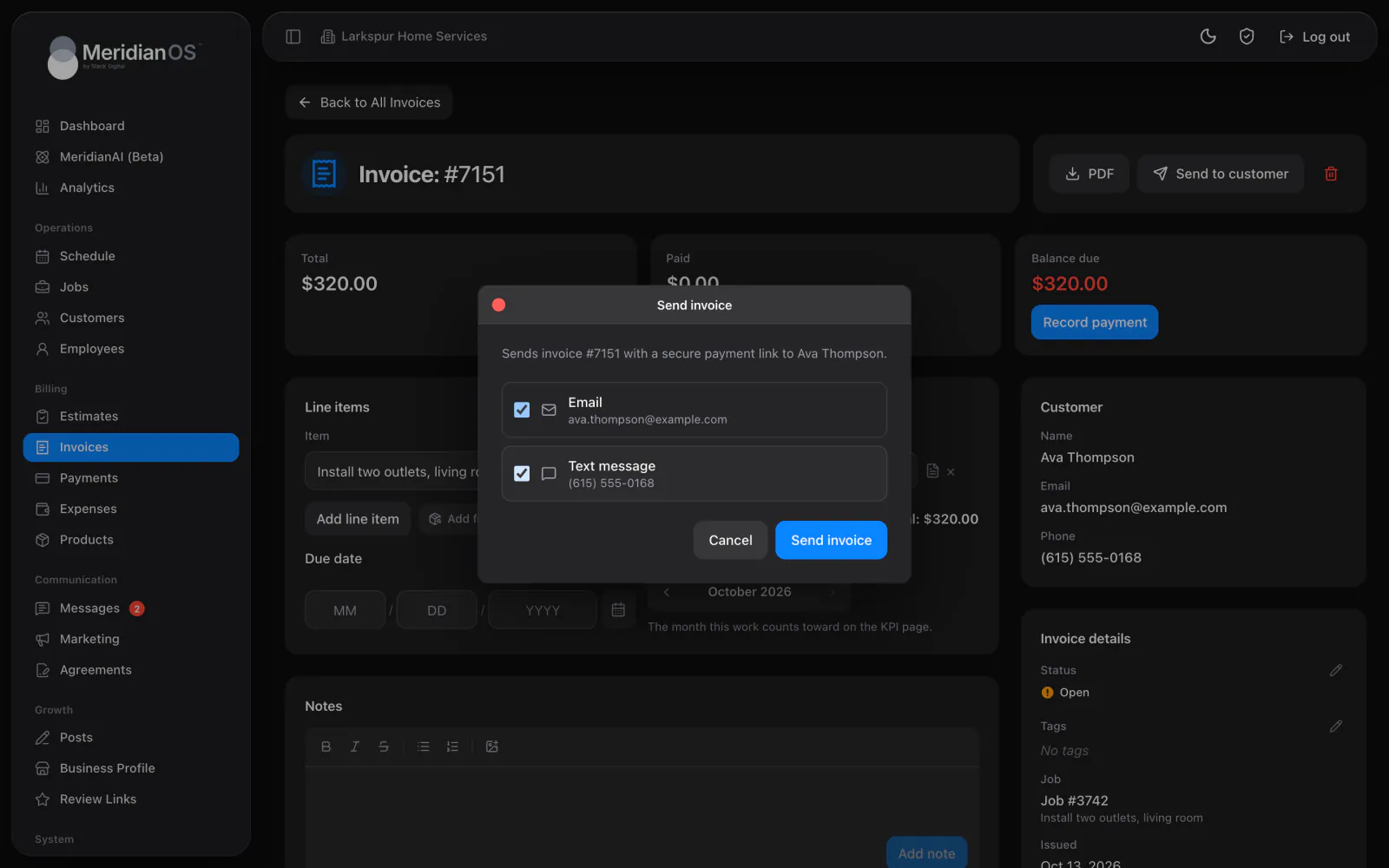
Set a series to bill weekly or monthly and MeridianOS™ creates one invoice per customer after the period ends. Each line lists the period and every visit date, with cancelled visits left off. The invoice arrives open and unsent, so you check it before it goes out.
Repeating visits keep the same clock time when the clocks change, in your business's own time zone. A 9:00 visit stays at 9:00 all year.
A monthly job set on the 31st lands on the last day of shorter months. A fifth Tuesday rule falls back to the last Tuesday when a month has only four.
Each series is claimed before its roll-up invoice is created, so two billing runs at the same moment can never invoice the same visits.
Automatic billing starts from the current period when you switch it on. Older visits are left alone, so customers never get a sudden invoice for past months.
Yes. Edits to a series apply from the next upcoming visit onward. Past and completed visits stay exactly as they were.
No. Each roll-up invoice arrives open and unsent so you can review it first. Send it by email or text when it looks right.
You can delete that visit alone or that visit and all future ones. If the series keeps running, MeridianOS warns that deleted visits will be recreated and offers to end the series in the same step.
Choose End on the series. All upcoming visits are removed, and past and completed visits stay on record.
We will show you a series set up the way you bill, with its visits and invoice in place. Tell us what you do and we will reply within the hour.