iPhone. Your schedule, customers, invoices, and payments, wherever you are.
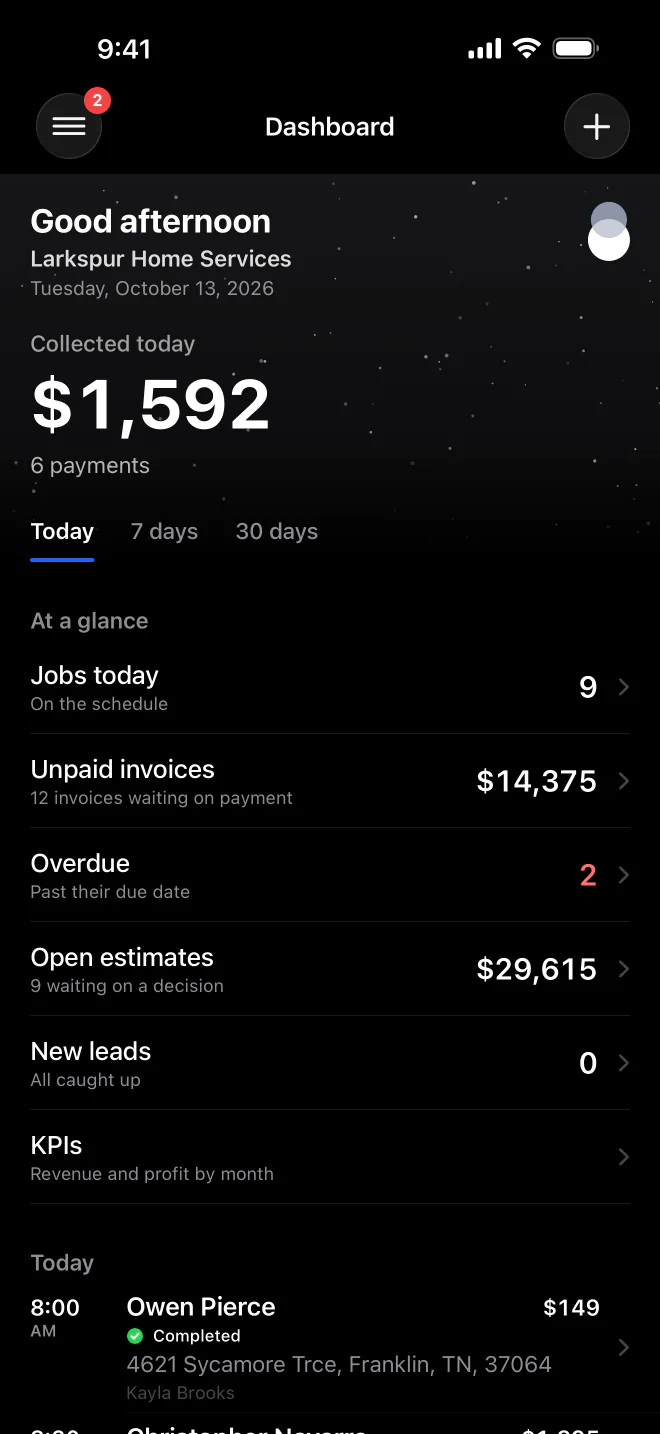
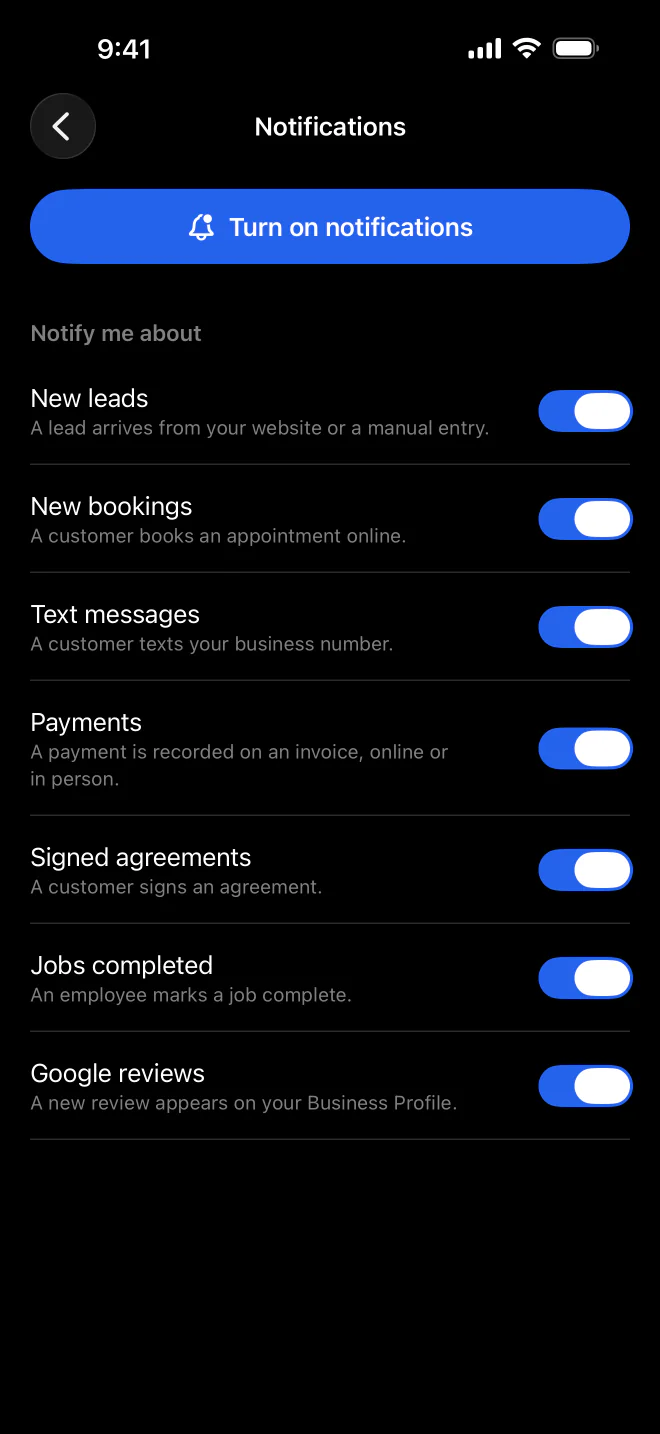
MeridianOS™ sends alerts to your iPhone for new leads, bookings, texts, payments, signed agreements and finished jobs, each with its own switch. Tap one and the app opens the exact record it is about.
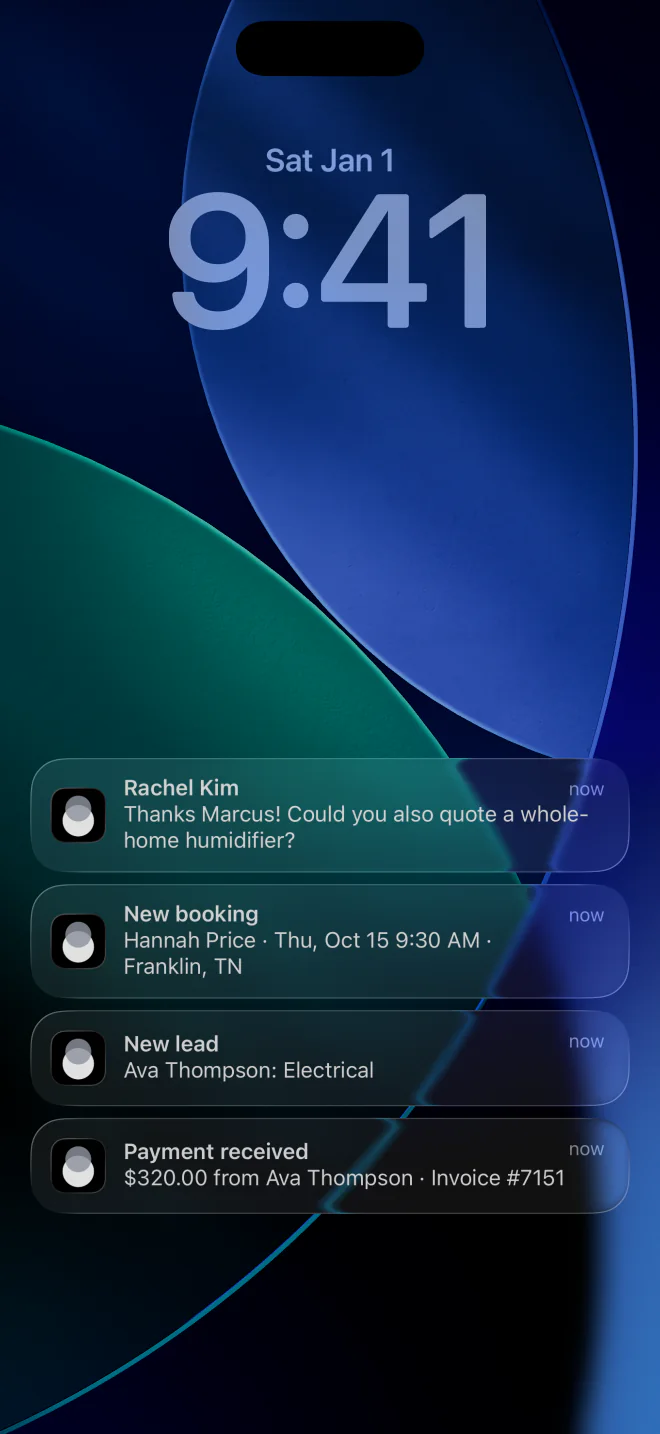
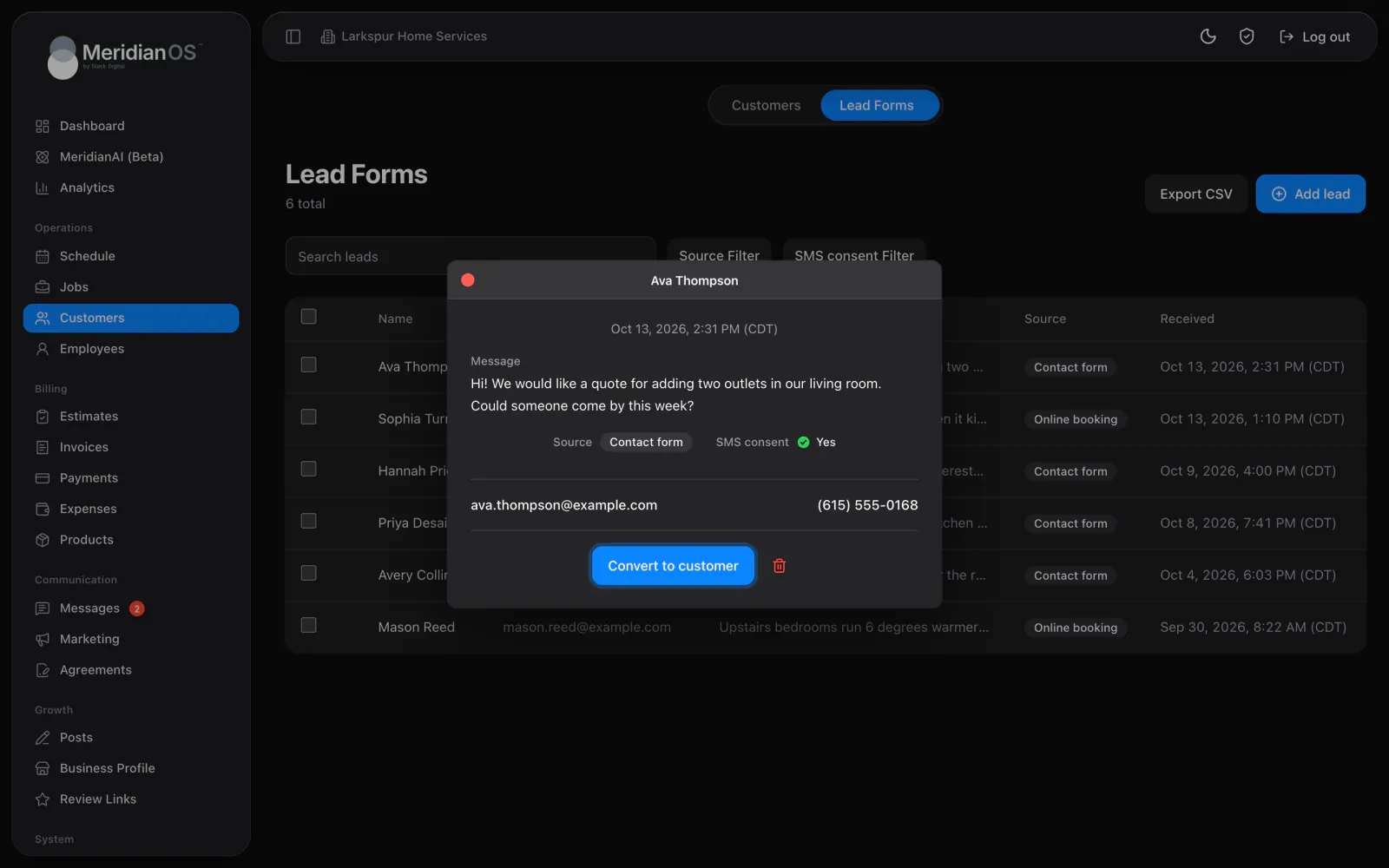
Straight to the record. Tapping an alert opens the job, lead, invoice or thread.
Alerts for employees. Your team hears about new assignments and schedule changes.
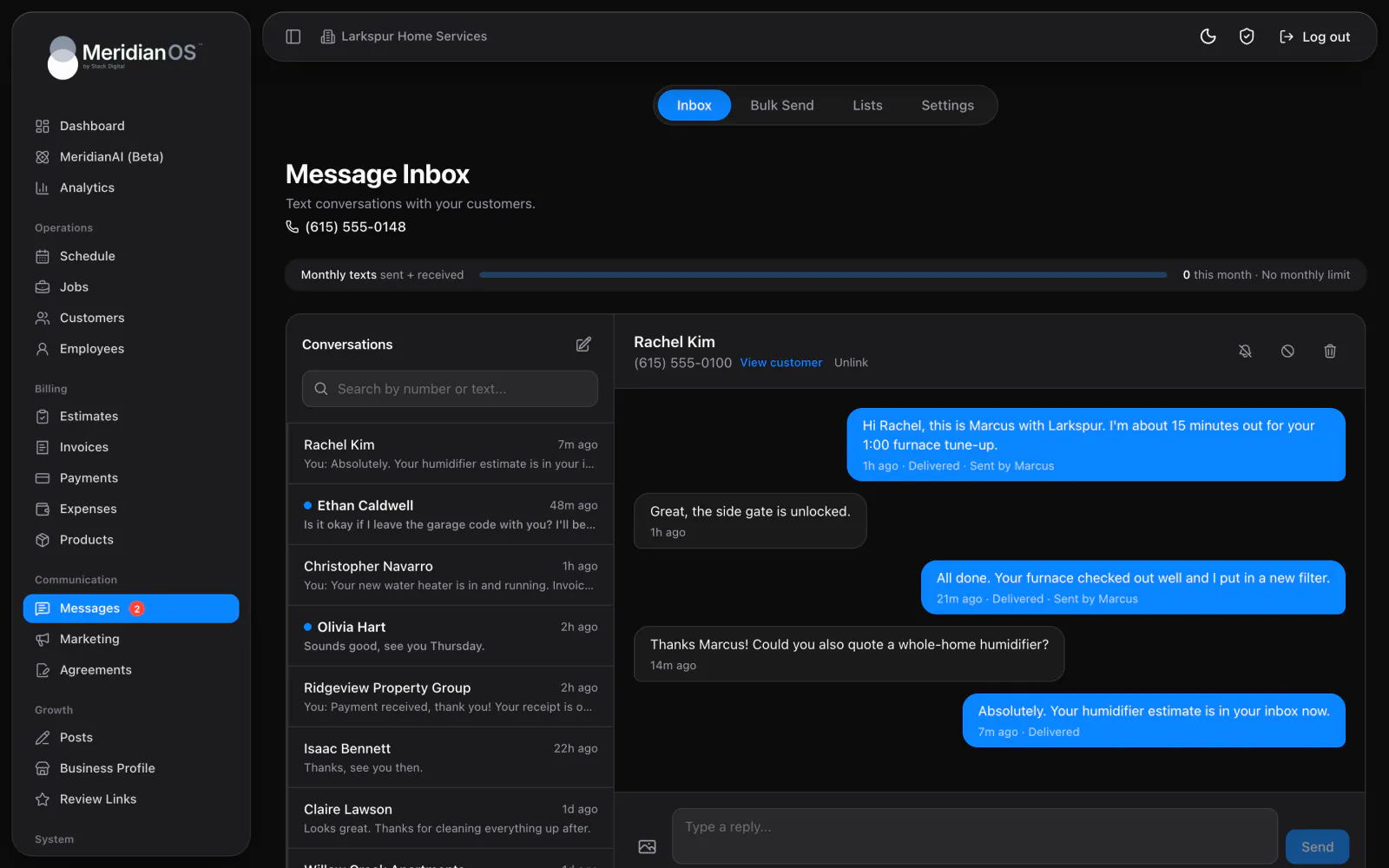
On the web too. Sidebar badges count unread leads and texts on any computer.
Alert emails. Disputes and failed bank payments land in your inbox.
Under Notify me about, admins switch on New leads, New bookings, Text messages, Payments, Signed agreements and Jobs completed one by one. A payment alert names the amount, tip, customer and who collected it. Employees get Job assignments and Schedule changes for the jobs they are on.
Tap an alert and the MeridianOS™ app opens that job, invoice, agreement, lead or text thread, and a booking request opens Booking Setup. If you run more than one business in the app, it switches to the right one first. The app icon badge counts unread leads and texts together.
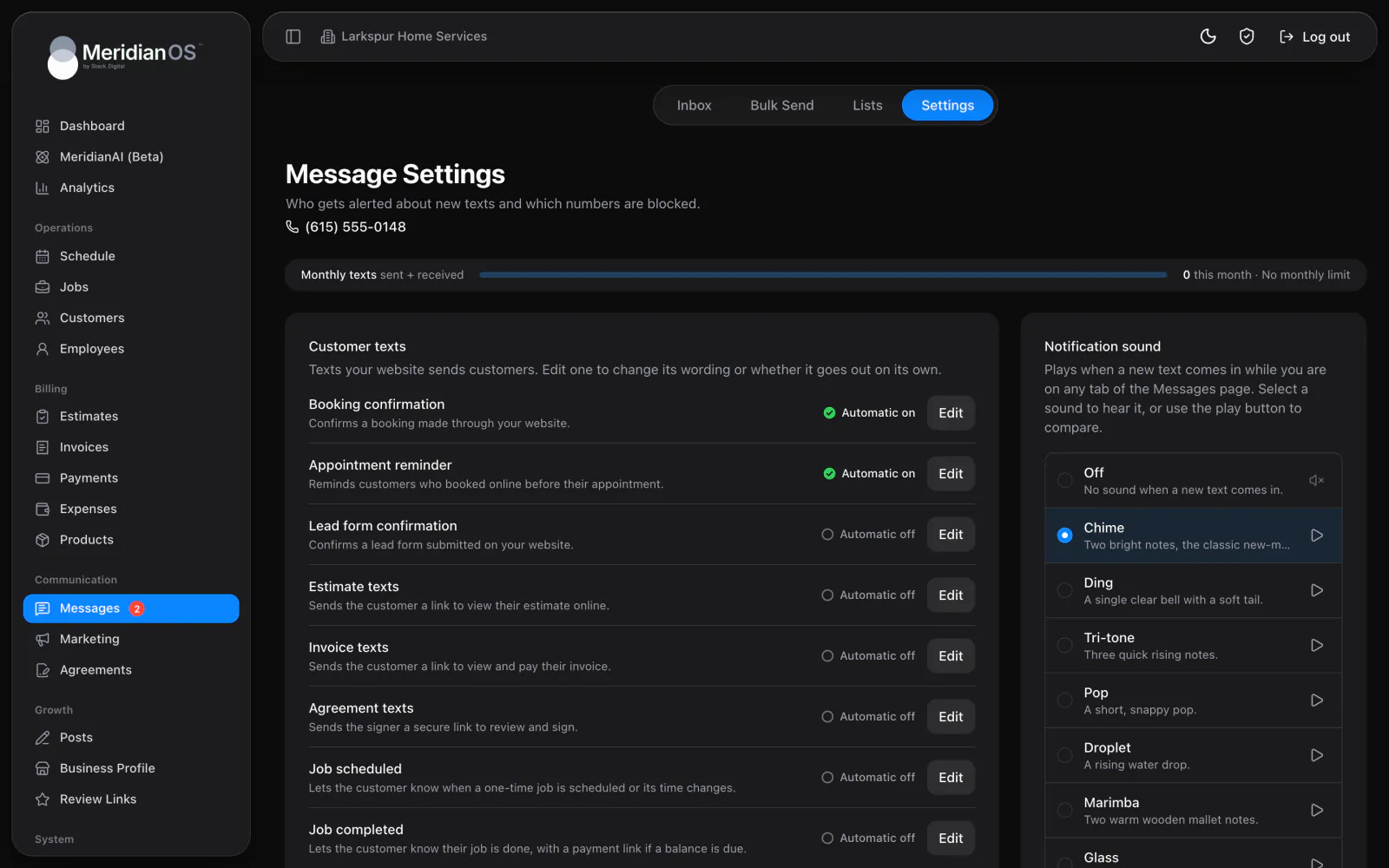
Red badges in the sidebar count unread leads on Customers and unread texts on Messages. While you are on Messages, each new text plays the sound you pick from 12 choices, or you can turn it off. New texts can also send an alert email to as many as 20 addresses.
When an in-person payment fails, a Payment declined alert goes to the person who ran it. They know right away to ask for another card.
If notifications are turned off on the device, the app shows a red Action needed warning with a button to the right Settings page.
If someone's access is removed, their app signs out within minutes and clears its badges. Old counts do not linger on a phone that has lost access.
Alert switches are saved per person, so the owner can follow payments while a teammate follows texts. Employees hear about the jobs assigned to them.
Yes. Notification switches are saved per person in the app. One admin can follow payments and new leads while another follows text messages.
Yes. Employees get Job assignments when they are put on a job and Schedule changes when one is rescheduled or cancelled. A new assignment alert includes the customer and the address.
No. The web dashboard shows unread badges and can play a sound for new texts. Phone alerts come from the MeridianOS app, and alert emails cover new texts and payment problems.
The MeridianOS app holds every business you sign in to. Tapping an alert switches to the business it came from before it opens the record.
We will show you a new lead reaching a phone and opening on a live system. Tell us what you do and we will reply within the hour.