Customers. Every customer's history and conversations on one record, with what they have spent.
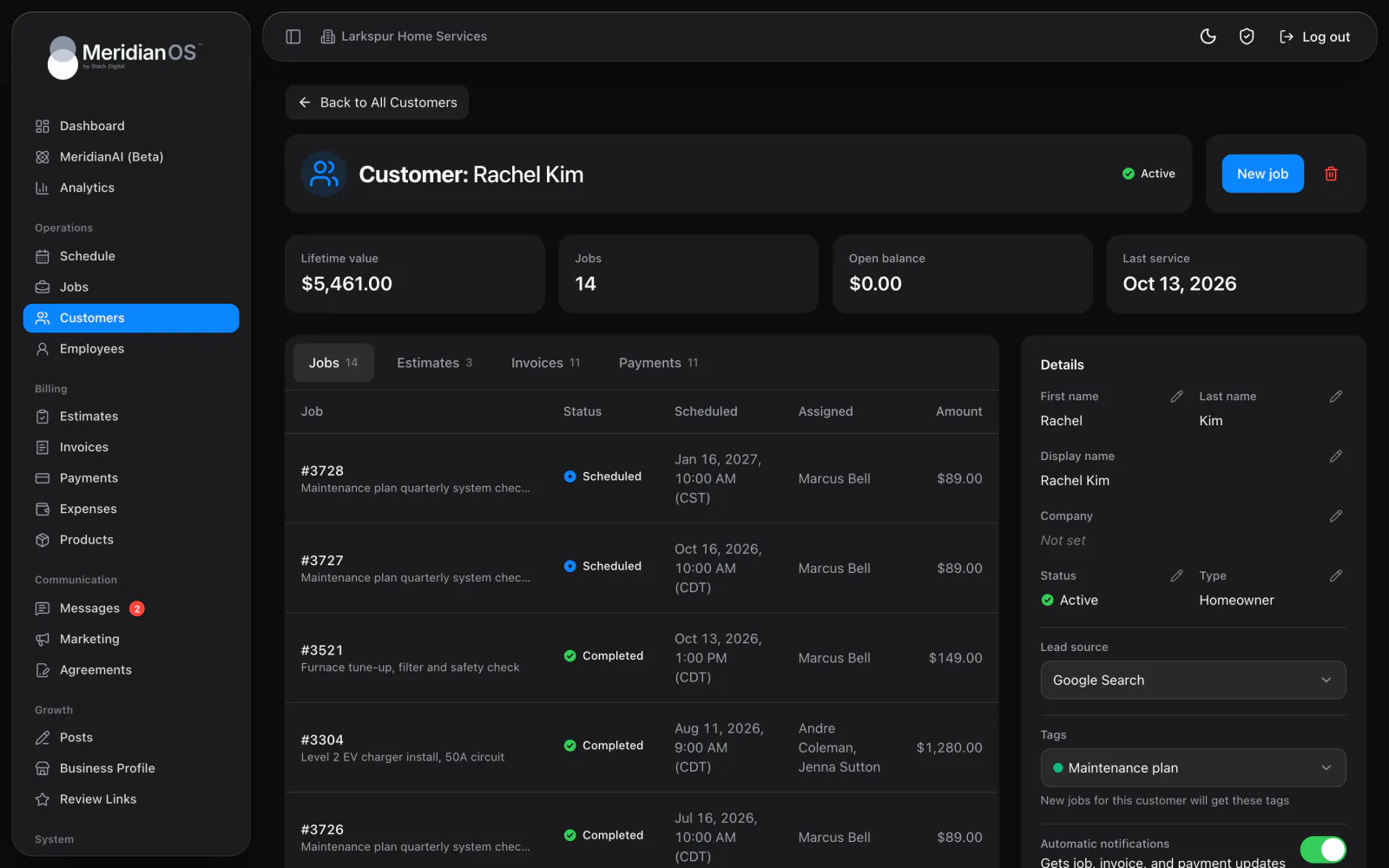
When someone fills out the form on your website, MeridianOS™ saves it as a lead and alerts you on your phone. It can add the person to your customers on its own, matched to anyone you already have by email or phone.
Spam stays out. A hidden bot check and a spam filter screen every submission.
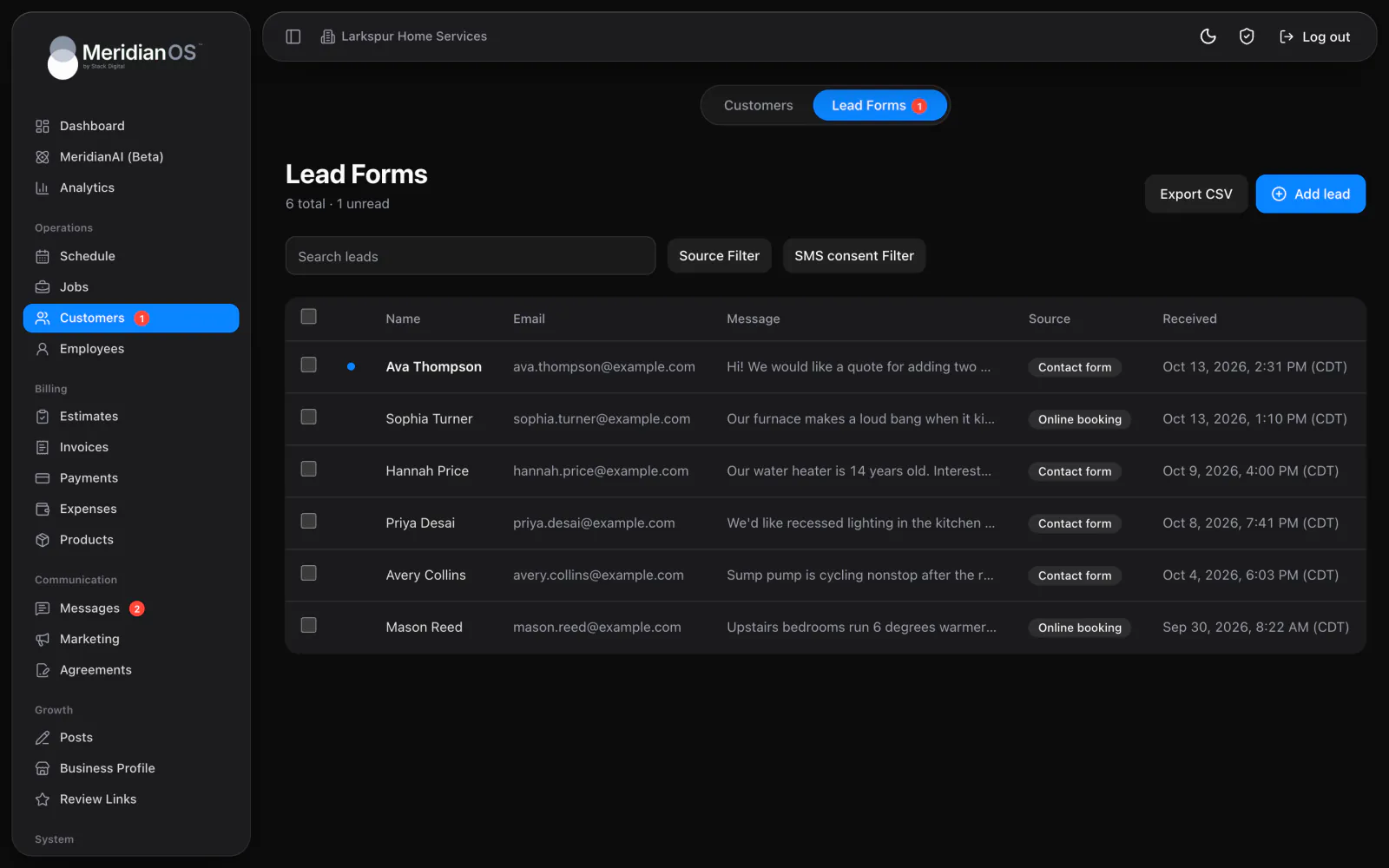
Unread at a glance. New leads show in bold with a dot and a count in the menu.
No duplicate customers. Leads match existing customers by email or any of three phone numbers.
Phone and walk-in leads. Add a lead by hand with its source and message.
Each message from your website form arrives under Lead Forms as an unread lead, and a red badge counts what nobody has opened. Search names, emails, phone numbers and messages, or filter by source and text consent. Export CSV downloads whatever the filters show.
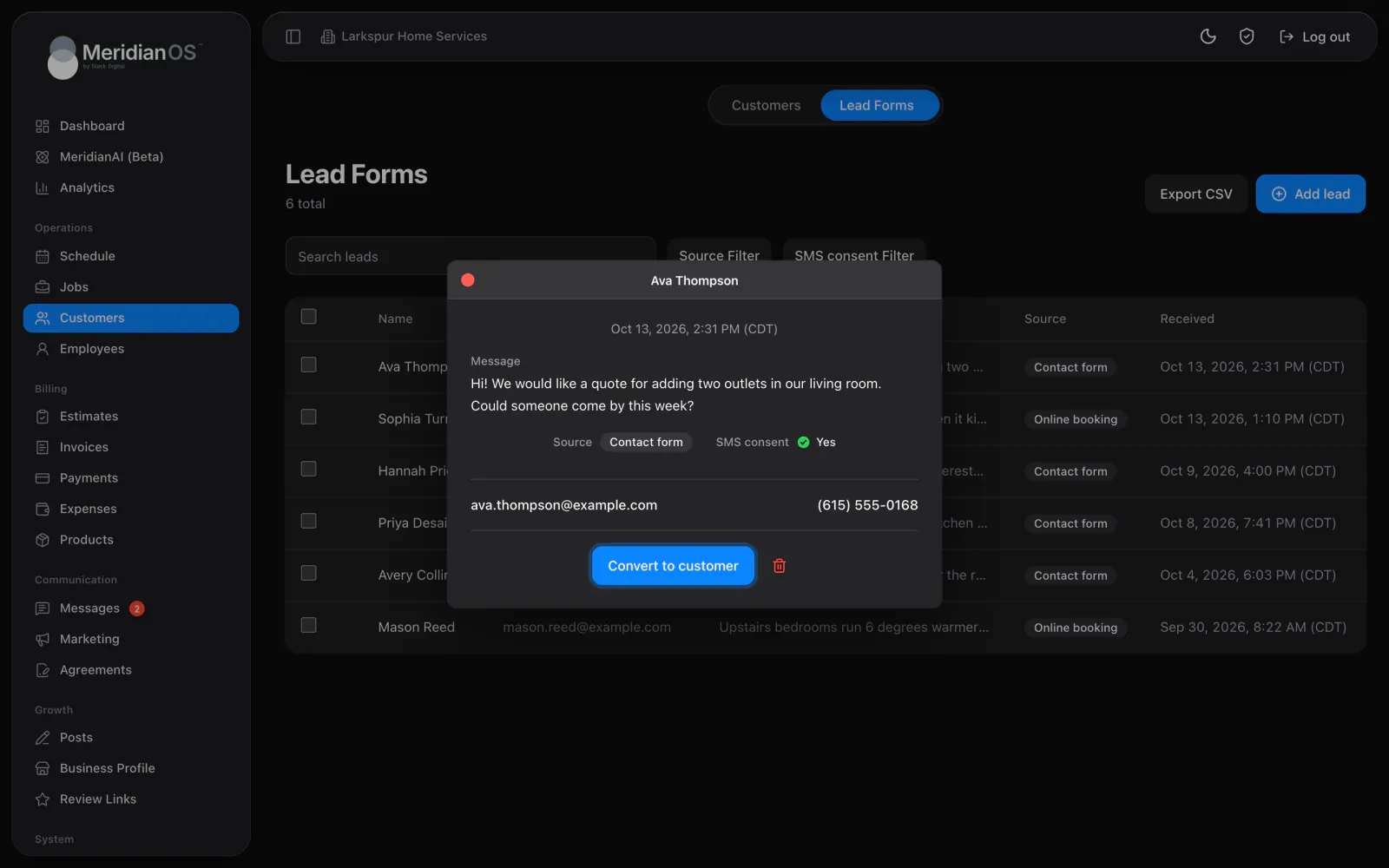
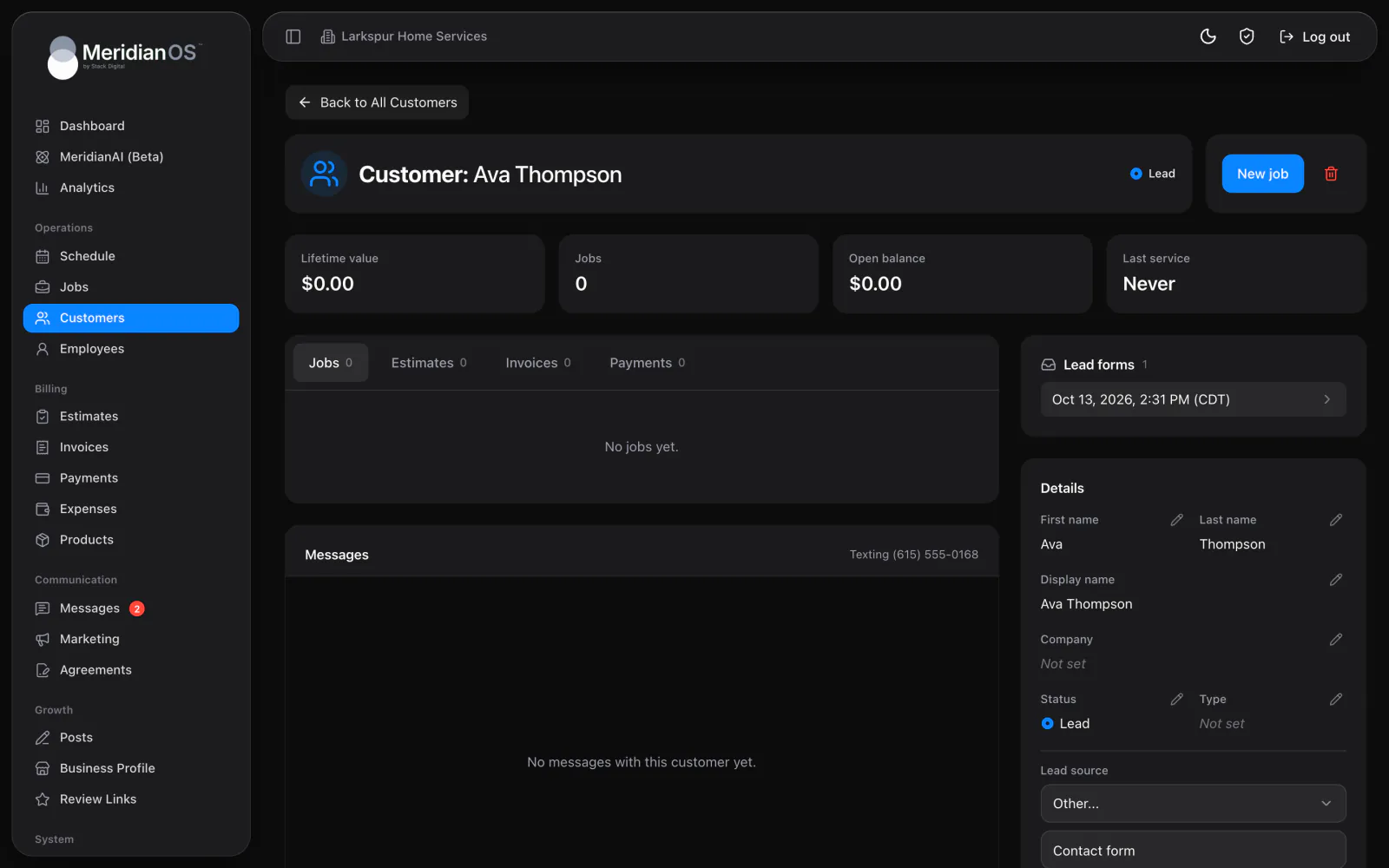
Open a lead to read the message and see whether they agreed to texts, then email or call them in one click. Convert to customer checks your list first. If the email or any phone number matches someone you have, the lead joins that record and fills in a missing phone or email.
A New lead alert reaches every admin with the MeridianOS™ app, and tapping it opens that lead. The business also gets an alert email with every detail, and hitting reply answers the person who wrote in.
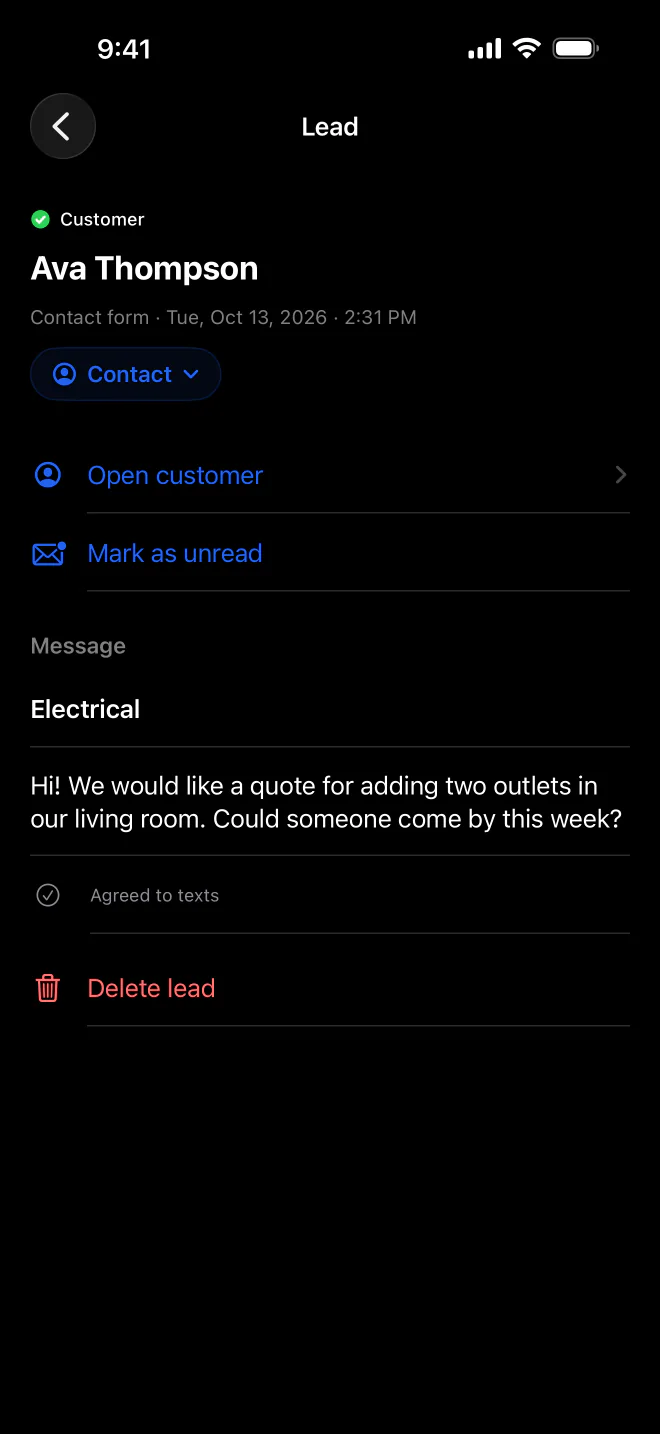
Submissions that look like spam are dropped quietly, and the sender still sees a normal success message. They get nothing to adjust before trying again.
MeridianOS™ sends at most 10 confirmations to one contact a day and 100 an hour across the site. Your form cannot be turned into a way to flood someone's inbox.
Before creating anyone new, MeridianOS™ checks the email and all three phone numbers on your existing customers. A match gets the lead, plus any phone or email that was missing.
Your KPIs count a lead as converted once their customer record gets a job. The conversion numbers you see come from real work booked.
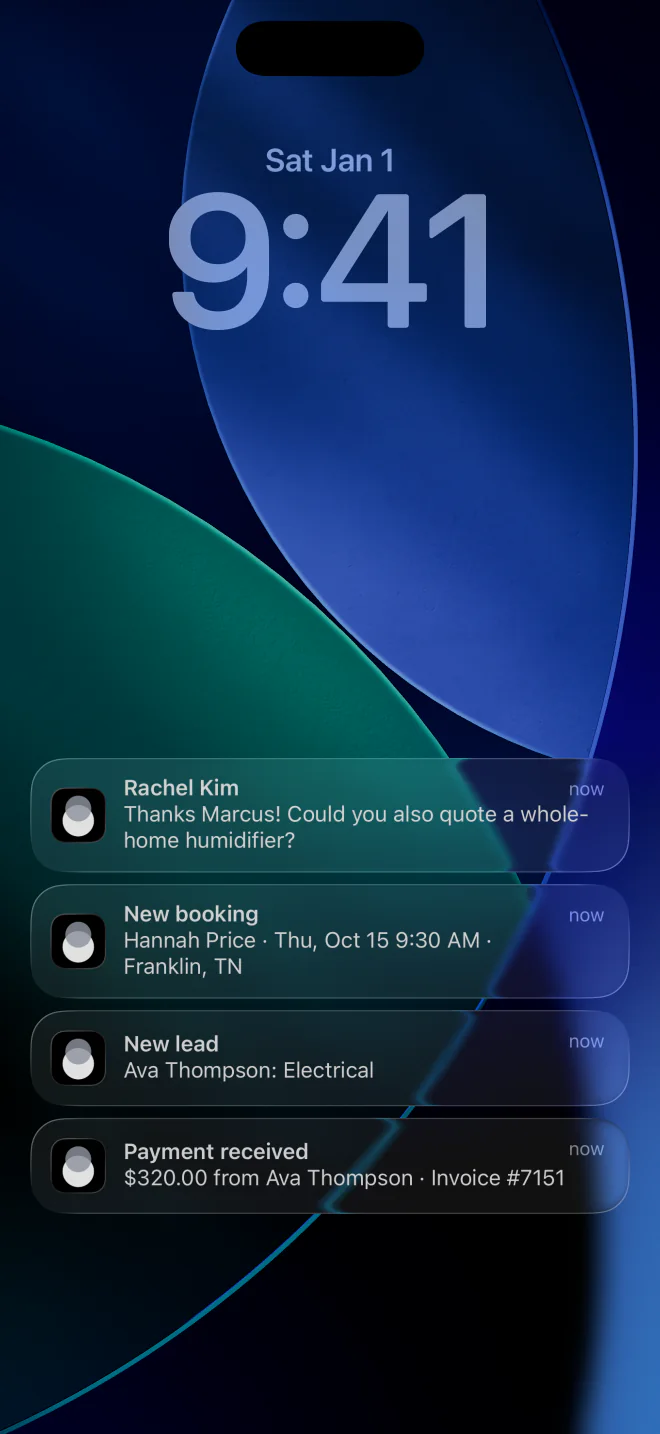
No. With Add new leads to customers turned on, each website lead is matched to an existing customer or added as a new one with the Lead status. You can also convert any lead by hand with one click.
Use Add lead to record their name and contact details with a message. Manual leads are saved as already read, with the source set to Manual entry unless you pick another.
Every submission passes an invisible bot check and then a built-in spam filter. Spam is dropped quietly, so it never reaches your list or your phone.
Yes. Export CSV downloads the list as filtered, with names, contact details, messages, consent, source and the date each one arrived.
We will show you a form submission becoming a customer on a live system. Tell us what you do and we will reply within the hour.