Dashboard. What you collected and what still needs you, the moment you sign in.
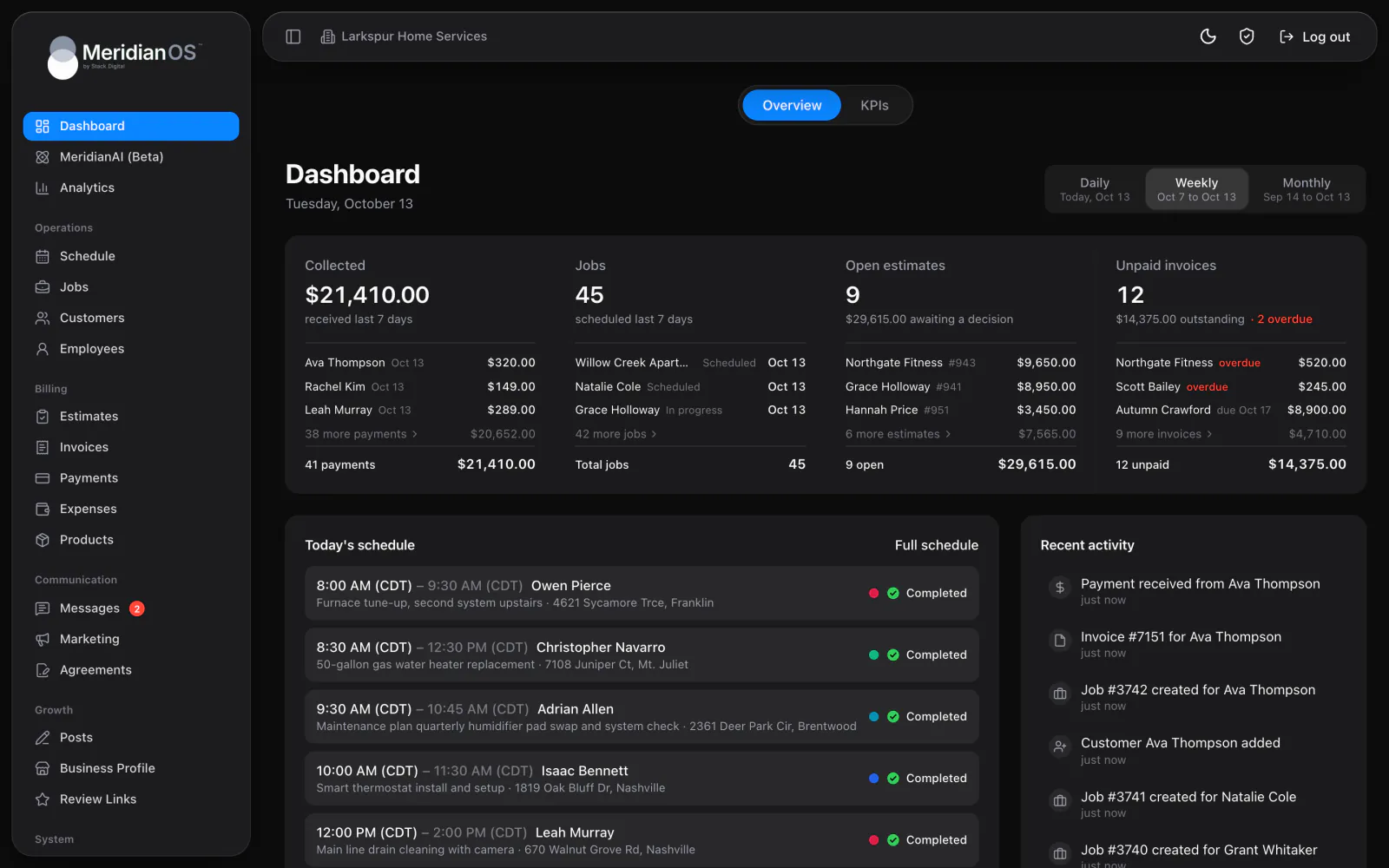
MeridianOS™ shows your revenue, money collected, outstanding balances, and profit for any period you pick, each with a six-period trend. Click any number to see how it was worked out and every record behind it.
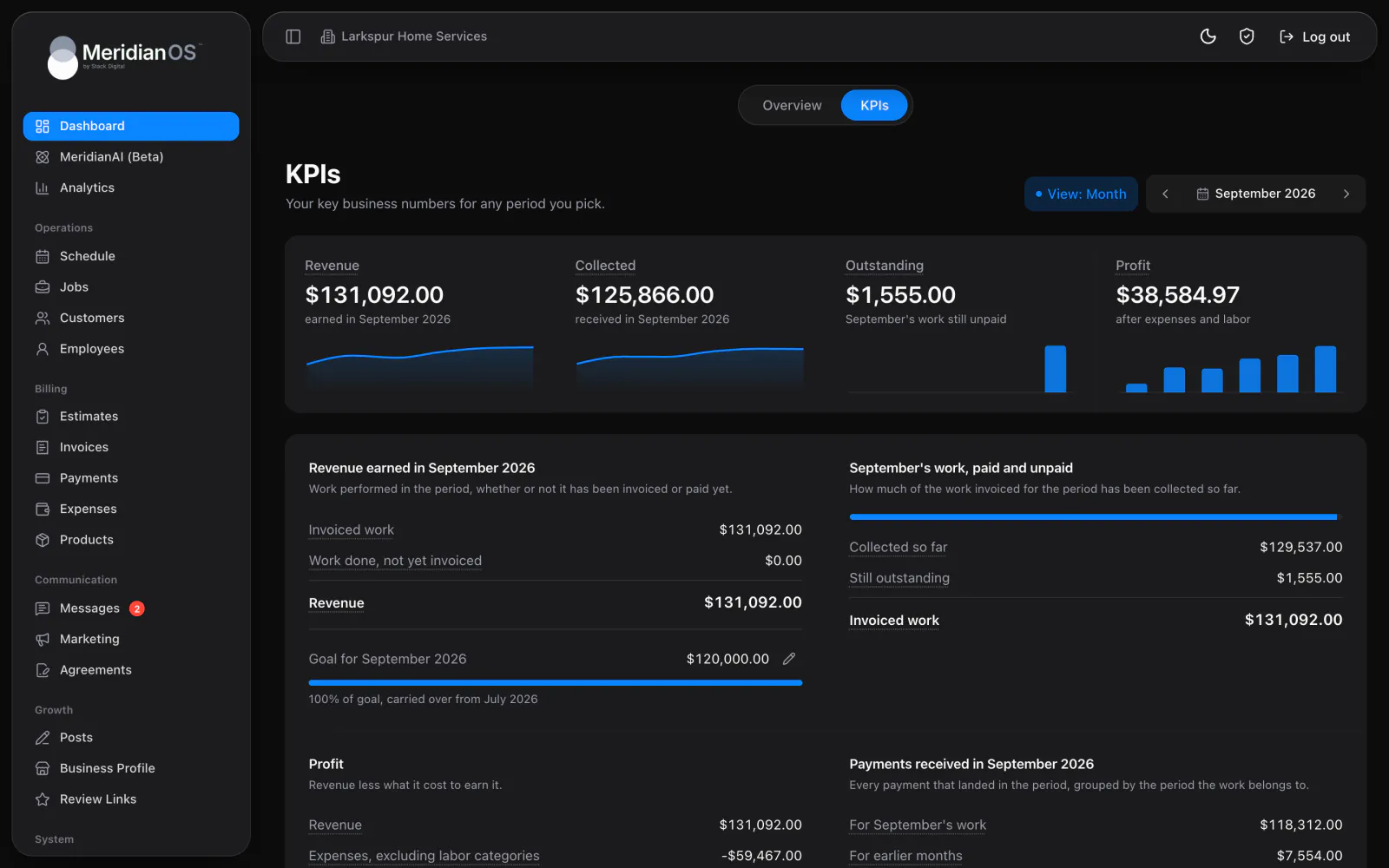
Any period. Day, week, month, or year, with arrows to step back.
Revenue by work date. Revenue counts in the month the work was done.
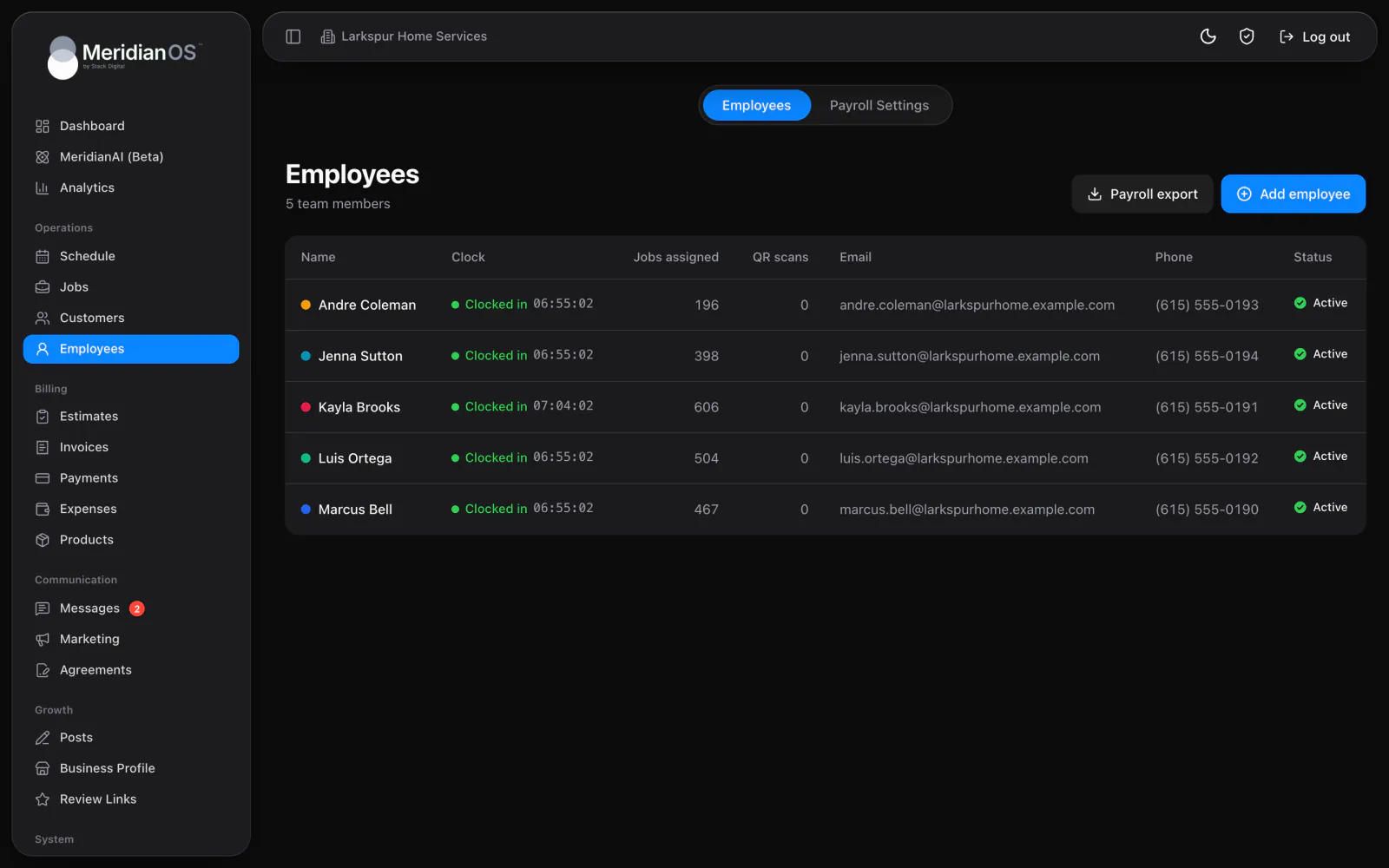
Real labor cost. Clocked hours times each employee's hourly rate, counted in profit if you choose.
A monthly goal. A progress bar that carries forward until you set a new one.
The top row shows Revenue, Collected, Outstanding, and Profit for the day, week, month, or year you choose. Each carries a mini chart of the last six periods, and a loss shows as a red bar. Step back with the arrows or jump to any period from the picker.
Below the tiles, MeridianOS™ breaks the period into four ledgers. Revenue earned adds invoiced work to work done and not yet invoiced, and the profit ledger subtracts expenses, with labor if you switch it on. Two more show the month's work as paid and unpaid, and every payment received by the month of work it covers.
The MeridianOS™ app carries the same KPIs, with your monthly revenue goal at the top. Labor comes from the hours your team clocks at each employee's hourly rate. Lead conversion shows how many leads became jobs, and average ticket sits beside it.
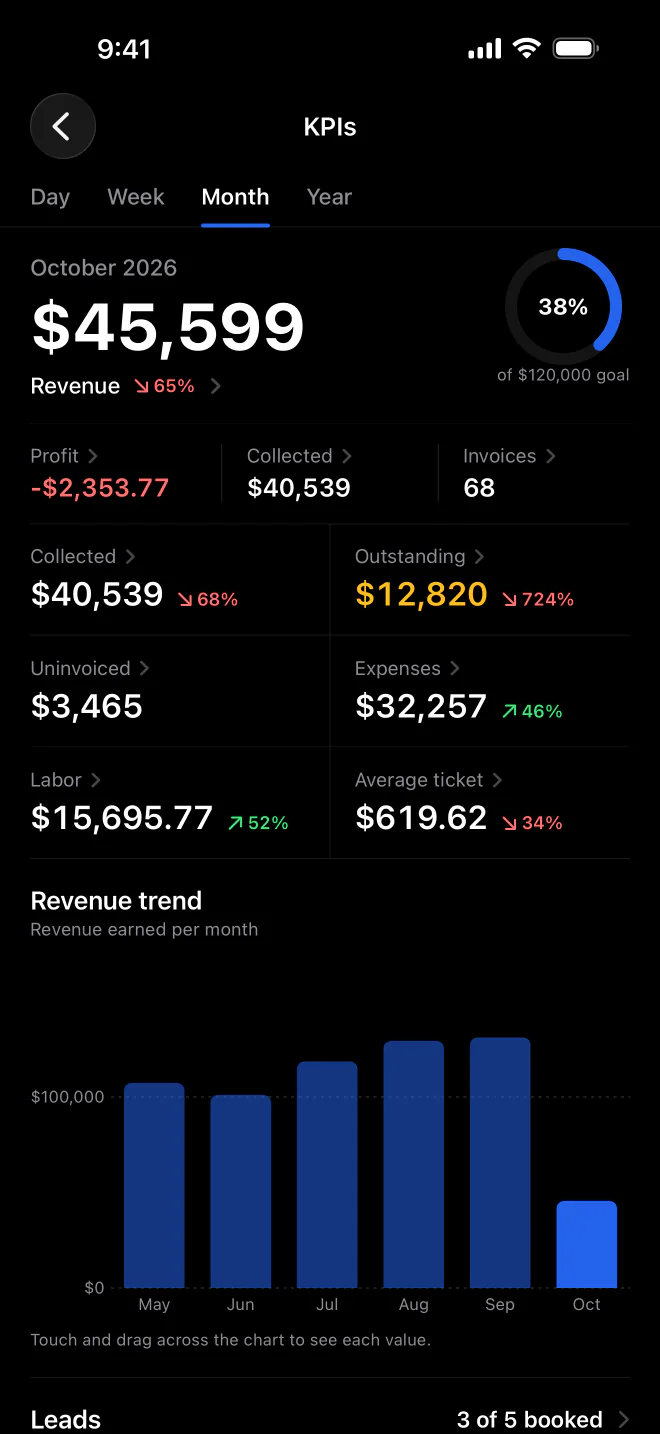
When Count labor in profit is on, payroll-type expense categories are left out so the same pay is not subtracted twice. The page tells you when it does this.
In day and week views, monthly expenses are spread evenly by day, so a single day or week never looks free of costs.
Payments are split by the month of work they cover, and overpayments get their own line, so the ledger in MeridianOS™ always adds up.
Work that is done but not yet invoiced is shown on its own line, and one-off jobs are flagged as needing an invoice, so finished work gets billed.
Revenue counts in the month the work was done, and Collected shows when the money arrived. For repeating jobs you can choose the month the work was done or the month it is billed.
Yes. Turn on Count labor in profit and MeridianOS subtracts clocked hours at each employee's hourly rate. Payroll-type expense categories are then left out so pay is counted once.
You enter monthly expenses by category on the Expenses page, and they feed profit on the KPI page. In day and week views, each month's expenses are spread evenly by day.
Yes. The MeridianOS app shows revenue, collected, outstanding, and profit, along with average ticket and lead conversion. Your revenue goal and a revenue trend chart are there too.
We will walk you through a live KPI page and the records behind each number. Tell us what you do and we will reply within the hour.