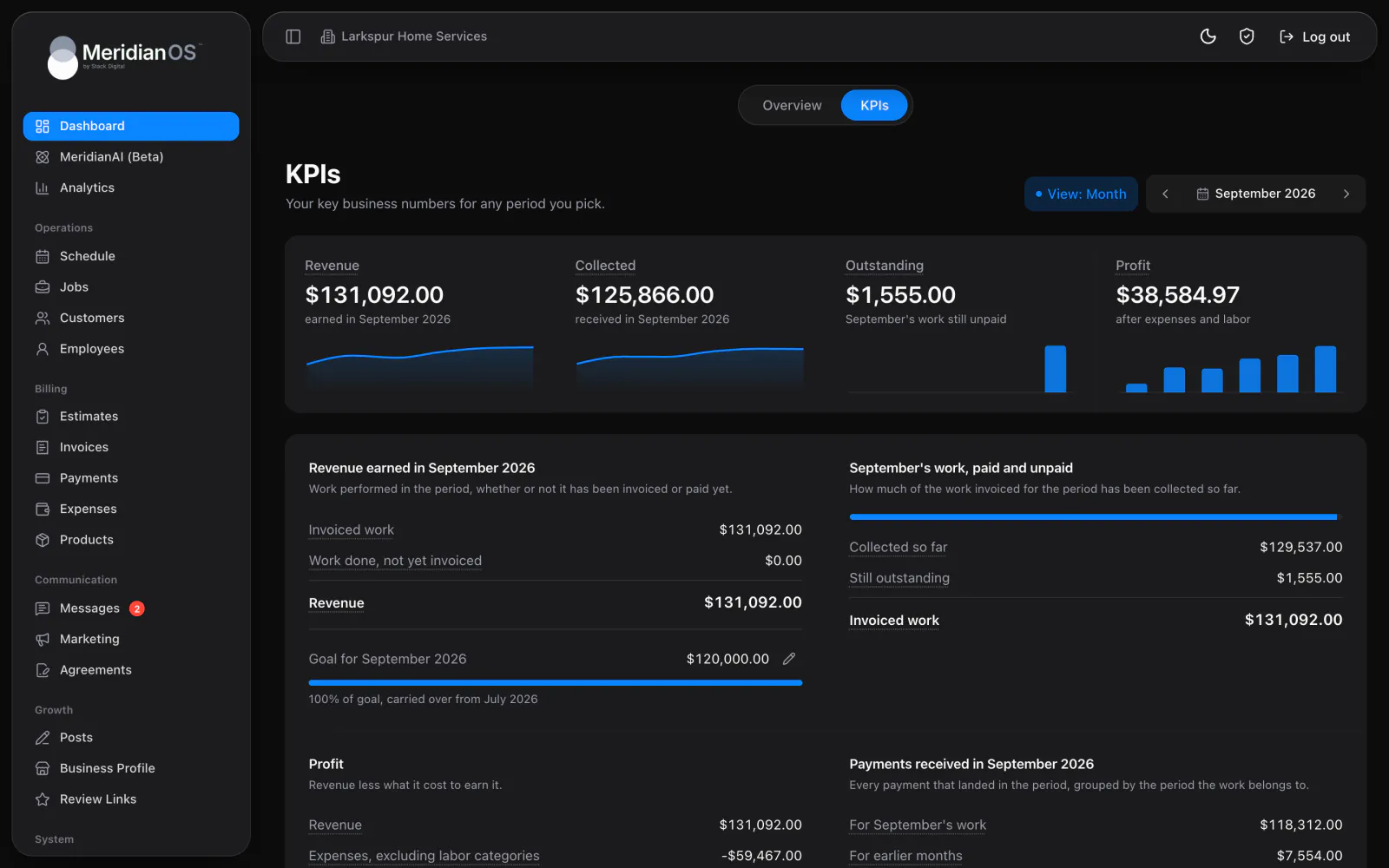
KPIs and profit. Revenue, collected, outstanding, and profit for any period, each one click from the records behind it.
The MeridianOS™ dashboard puts money collected, jobs, open estimates, and unpaid invoices at the top, with today's schedule and a map below. Each tile opens the records behind it, so you can act on what you see.
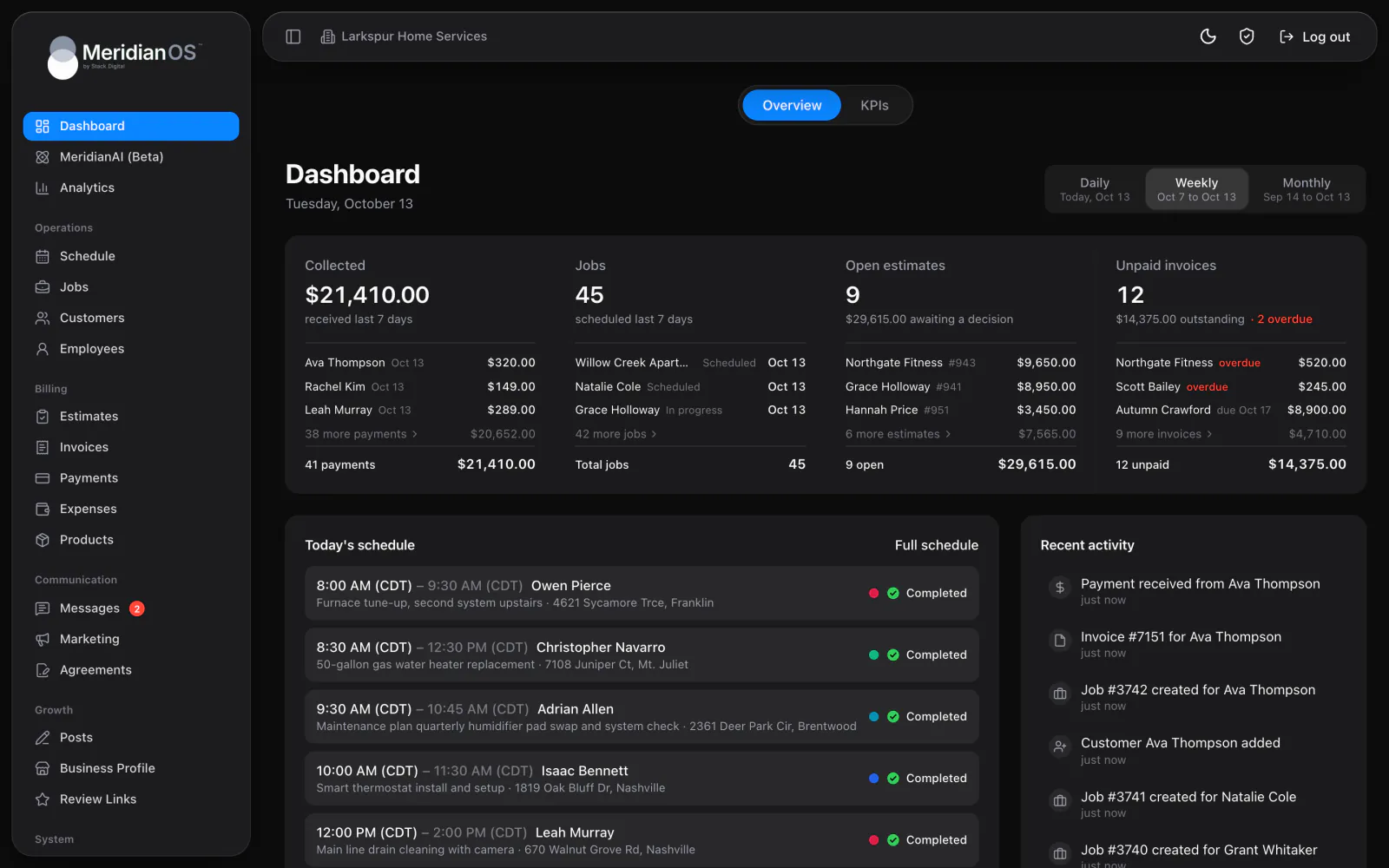
Four tiles up top. Collected, jobs, open estimates, and unpaid invoices, each with its top records.
Pick your period. Switch from today out to the last 30 days in one click.
Today on a map. One pin per job, each with a link to the job page.
The week ahead. Seven days from today, with the job count and dollar value for each.
The top of the MeridianOS™ dashboard shows what you collected, the jobs on the schedule, your open estimates, and your unpaid invoices. Each tile lists its top records with a total underneath. The period toggle runs from today out to the last 30 days, and a click on any tile opens the full list.
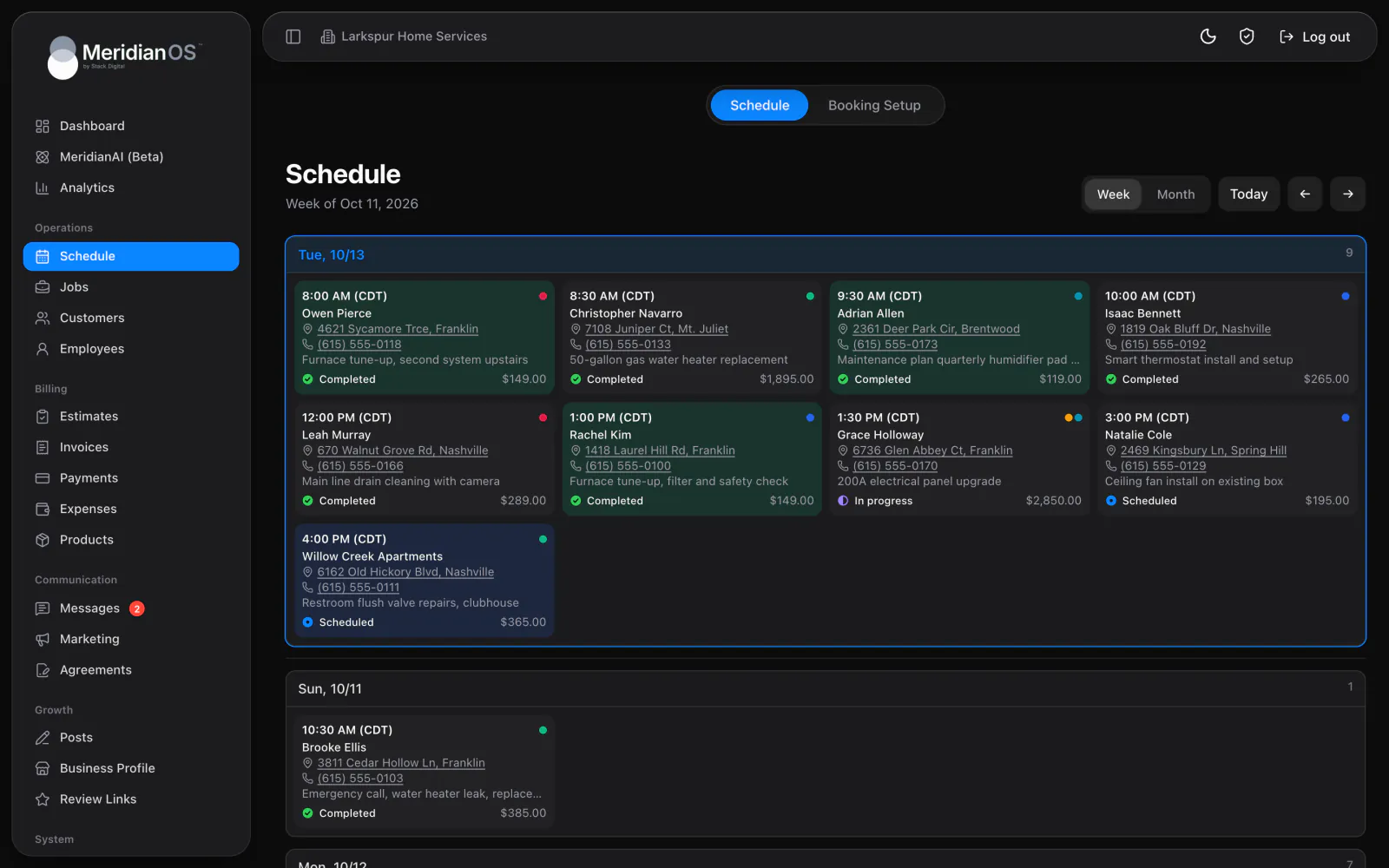
Below the tiles, today's schedule lists each job with its time, customer, address, and status, plus a colored dot for each person assigned. A strip of seven days starting today shows the job count and dollar value per day. Pick a day and the card switches to that day's schedule.
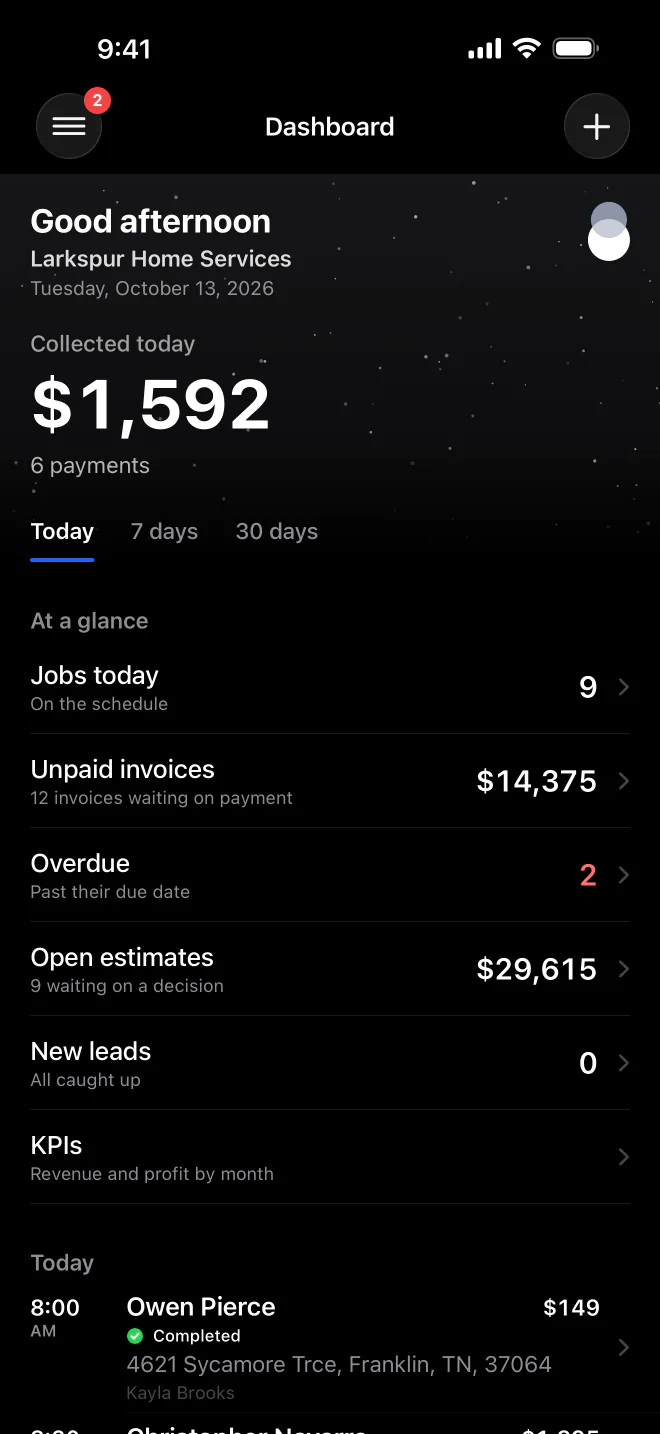
The MeridianOS™ app opens on what you collected, with tabs for longer periods. Rows below it show jobs today, unpaid and overdue invoices, open estimates, and new leads, and each row opens its list. Today's schedule comes next, with each job's time and address.
If the first map provider fails to load, the dashboard map switches to a second one on its own. It follows your light or dark theme as well.
Job addresses without map coordinates are located in the background while you work. The coordinates are saved to the job and to the customer's address, so the pin is ready next time.
Opening the dashboard tops up upcoming recurring visits, so the week strip and today's schedule always include the work that repeats.
When a customer disputes a payment, a banner appears at the top of the dashboard with the date you need to respond by to keep the money.
Yes. The MeridianOS app opens on what you collected, with rows for jobs today, unpaid and overdue invoices, open estimates, and new leads. Each row opens the matching list.
Yes. The period toggle runs from today out to the last 30 days and changes the Collected and Jobs tiles. For any day, week, month, or year, open the KPIs tab beside it.
It shows what is available and what is on the way from Stripe, with an estimated arrival date for each payout. The card appears once your own Stripe account is connected.
Yes. The week strip shows seven days starting today, each with its job count and dollar value. Click a day to swap the card to that day's schedule, or open Full schedule for the whole week.
We will walk you through a live dashboard with jobs and money side by side. Tell us what you do and we will reply within the hour.