Two-way texting. One shared inbox for customer texts and photos from your business number.
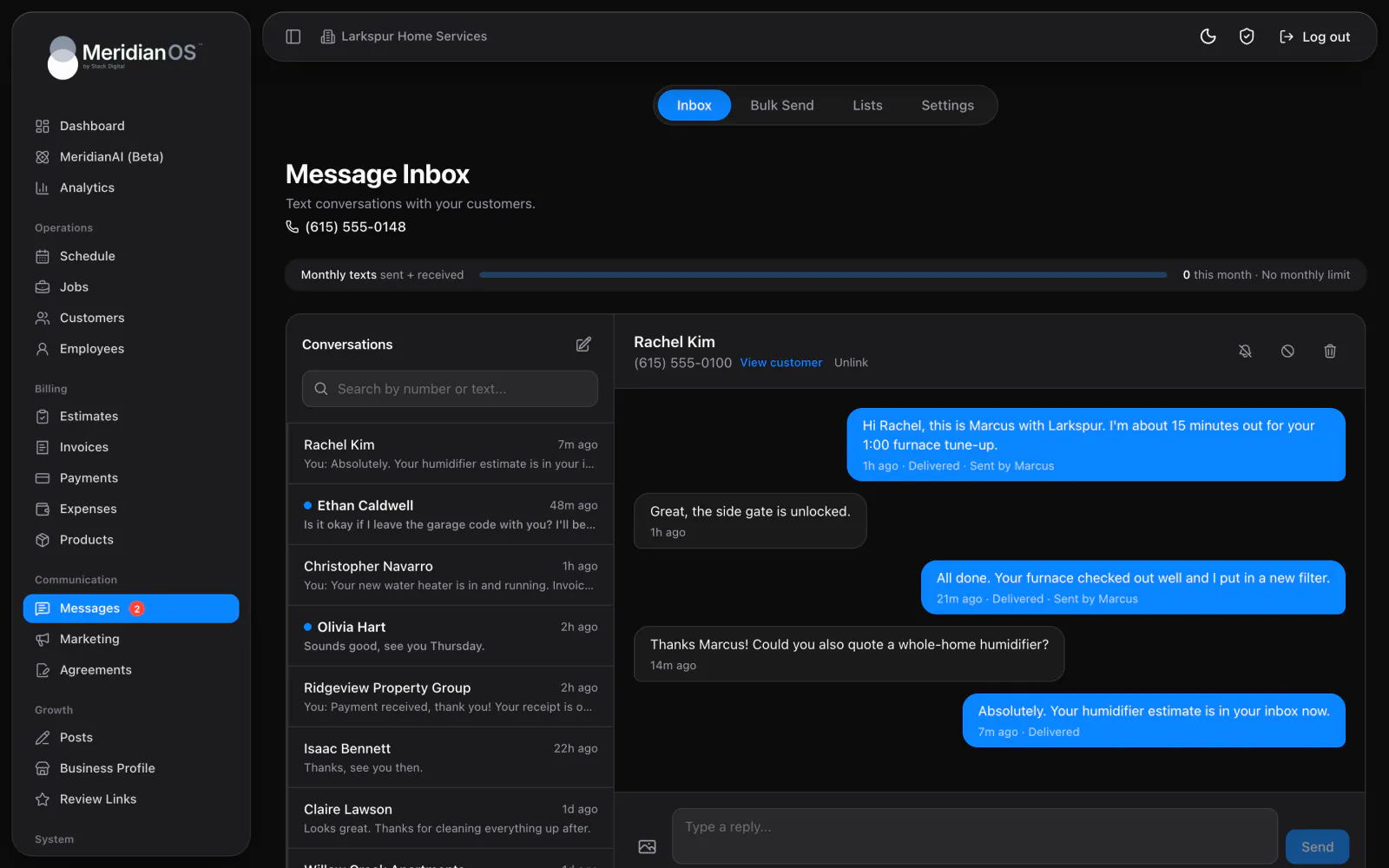
MeridianOS™ sends your customers texts and emails at the right moments, from booking confirmations to payment receipts. You choose which ones go out on their own, and every text can be reworded in your own voice.
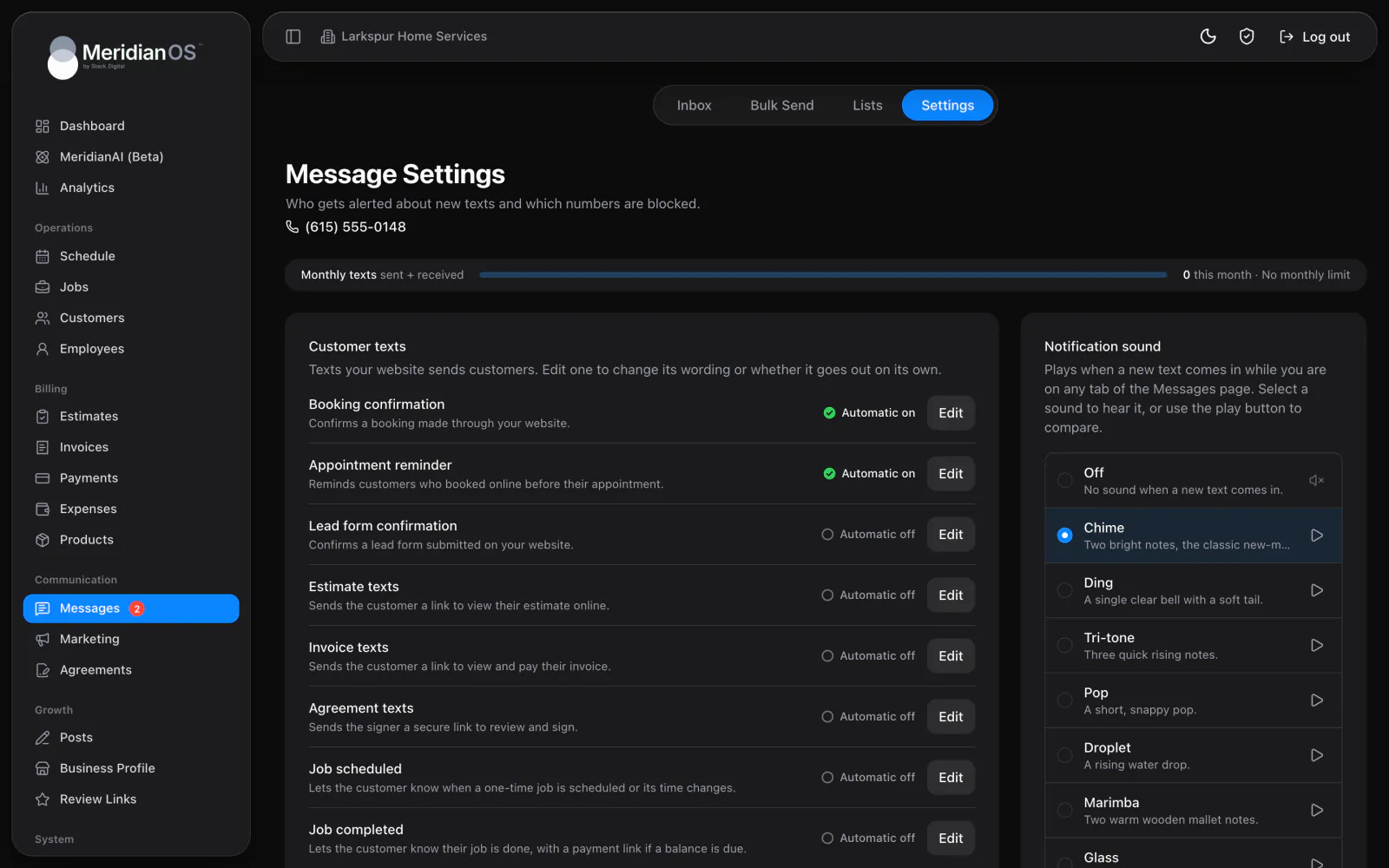
Ten automatic texts. Each one has its own Automatic switch and wording you can edit.
Live preview. See the finished text with a character count as you edit.
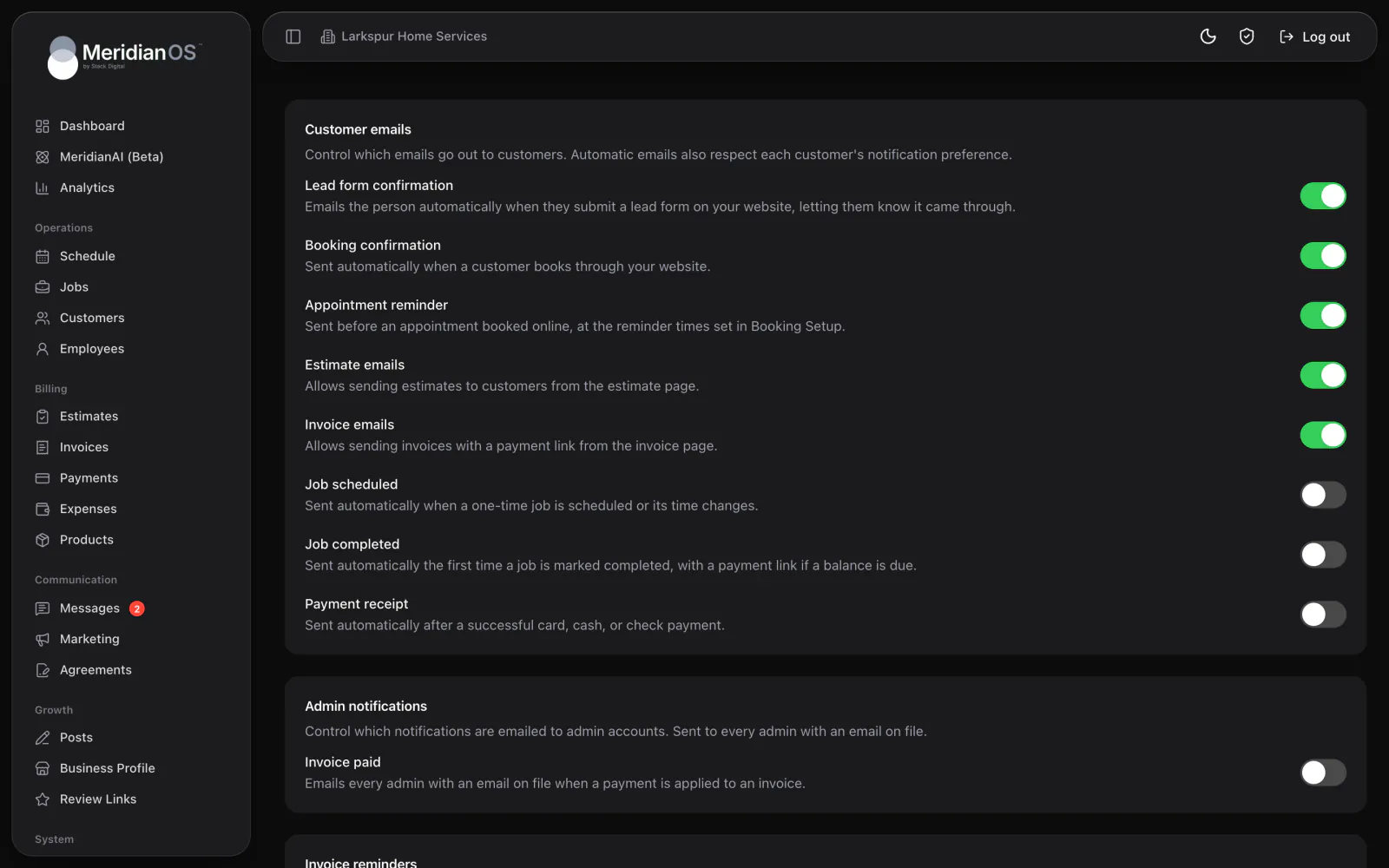
Emails on a switch. Turn each automatic customer email on or off in Settings.
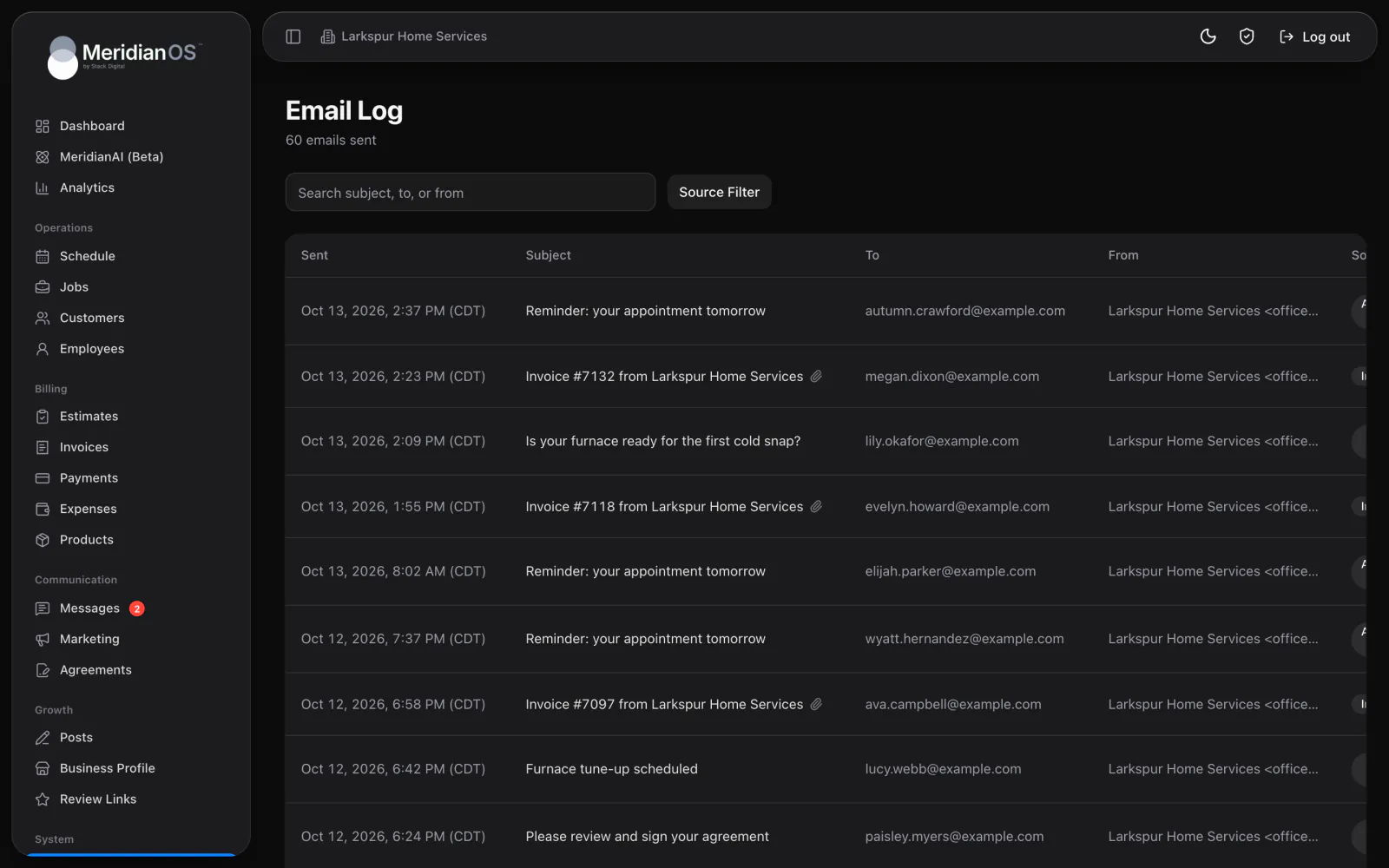
Every email logged. Open any sent email and see exactly what the customer saw.
MeridianOS™ can send ten kinds of customer texts on its own: booking confirmations, appointment reminders, lead form confirmations, estimates, invoices with overdue reminders, agreements, scheduled jobs, completed jobs, review requests and payment receipts. Each has its own Automatic switch. Open one to edit the wording with placeholders and watch a live preview as you type.
Settings lists each automatic customer email with its own switch. Lead form confirmations, booking confirmations, appointment reminders, estimates and invoices are on from the start. The others wait until you turn them on, and a switch on each customer's record stops automatic updates for that one person.
The Email Log in MeridianOS™ keeps every email your website has sent. Search by subject or address, or filter by source, such as Invoice reminder or Payment receipt. Click any row to see exactly what the customer saw, with the names of any attachments.
When an automatic text carries a pay or signing link, MeridianOS™ falls back to shorter wording as needed, so the link always arrives whole.
Each customer gets at most one review request every 90 days. The limit holds even when someone on your team pastes the review link into a text by hand.
Booking and lead form texts go only to people who agreed to texts on the form. Every automatic text also follows the customer's notification switch and any STOP reply.
An email address on a domain that cannot receive mail is caught before sending, so a mistyped address gets noticed right away.
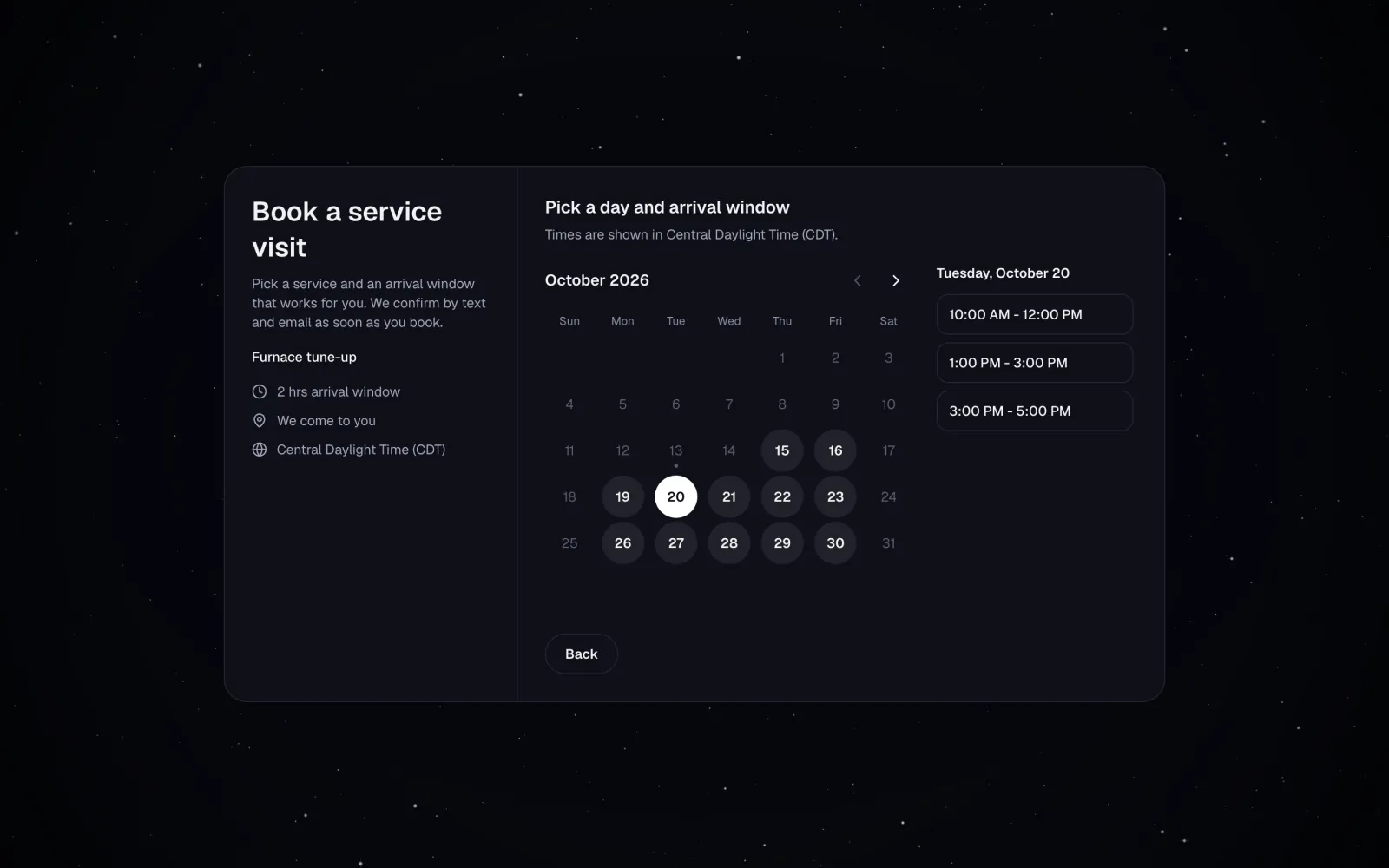
Yes. Open any text to edit the wording with placeholders like the customer's first name, and a live preview shows the result as you type. Reset to default brings back the original wording.
Lead form confirmations, booking confirmations, appointment reminders, estimates and invoices start on. Every other customer email starts off, and you can change any of them in Settings.
Yes. Each customer record has an Automatic notifications switch, and any customer can reply STOP to your texts. MeridianOS honors both.
Yes. Texting is an add-on to MeridianOS, and the automatic texts need it. The automatic emails work without it.
We will show you each automatic text and email set up for your kind of work on a live system. Tell us what you do and we will reply within the hour.