Everything MeridianAI can look up and do for you.
MeridianAI works across MeridianOS™, from customers and jobs to payroll and reviews. Ask in your own words, and it looks up the answer or makes the change after you say yes.
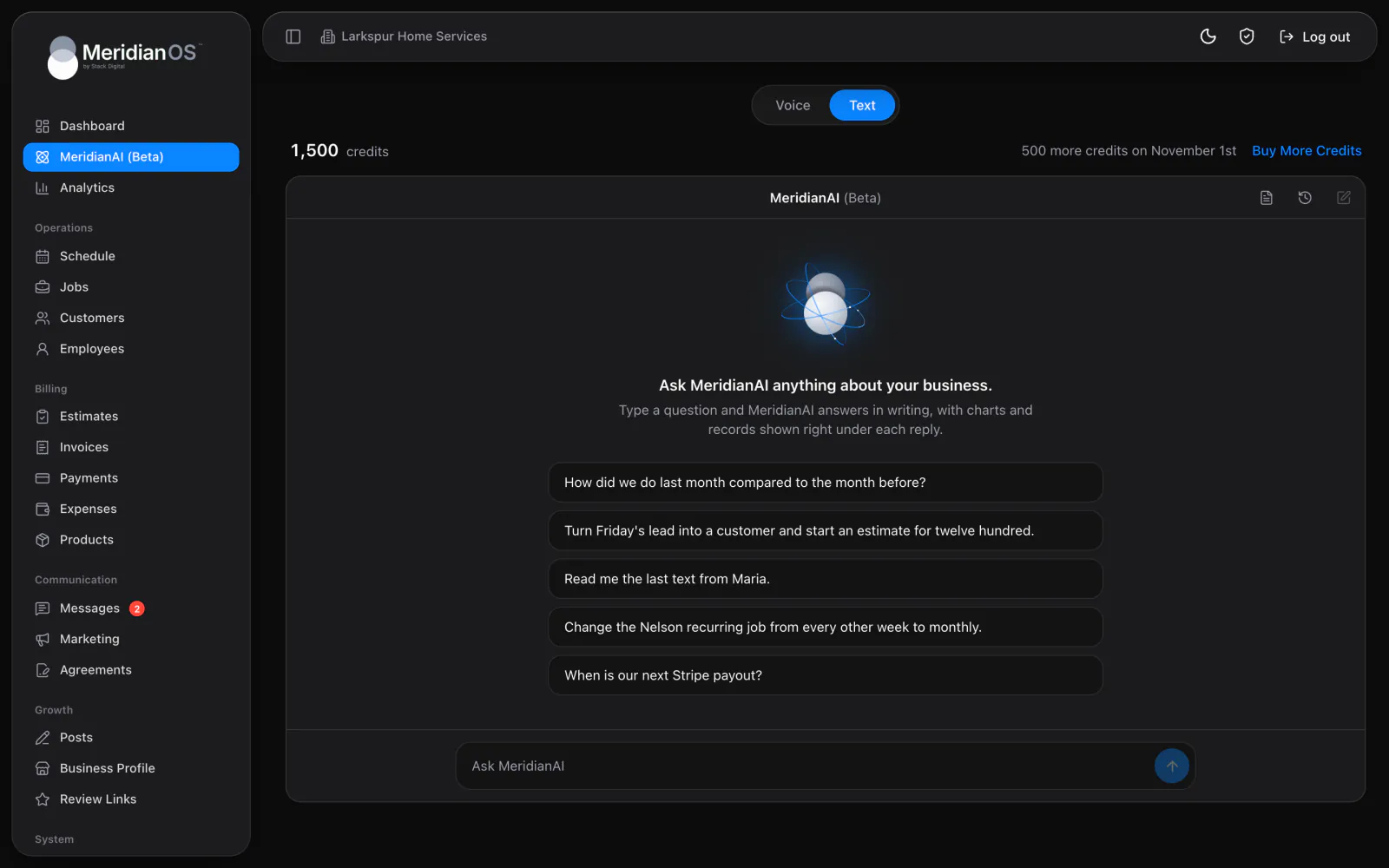
Twelve areas. Customers, jobs, billing, texting, booking, payroll, reviews, settings and more.
Your own words. Ask by voice or by typing, the way you would ask a person.
One by one. Each change MeridianAI makes touches a single record.
Clarifying questions. When a request could mean two things, it asks which you meant.
Ask the way you would ask a person.
Speak in voice mode or type in text mode, and use the names you already use, like a customer's first name or yesterday's lead. MeridianAI finds the right records and answers in plain sentences. If a request could mean two things, it asks one short question first.
- One request can take up to eight steps behind the scenes
- Find anyone by name, company, email or phone in one search
- Every figure comes from a fresh look-up made for that answer
- It offers the one obvious next step when there is one
Every change waits for your yes.
Before it charges, refunds, sends or publishes anything, MeridianAI shows a preview and changes nothing until you say yes. Other changes are stated plainly and wait for your go-ahead too. Everything it creates or changes is listed in History, and a short list of things it will never do is built in.
- Nothing gets deleted by MeridianAI, under any wording
- It never makes bulk changes or sends to a whole list
- It cannot create admins or change anyone's sign-in security
- It cannot connect accounts like Stripe or Google, or change your website's design
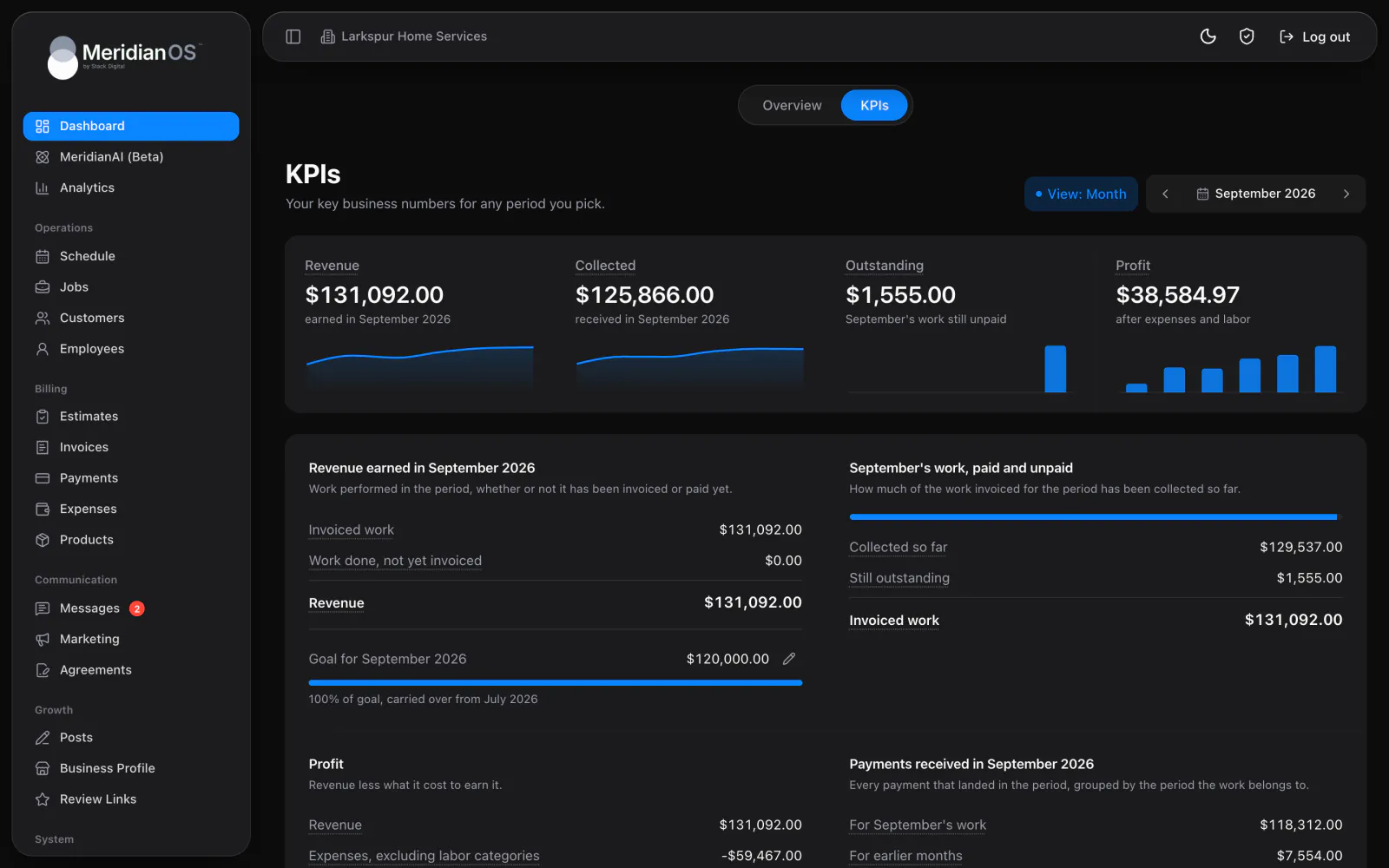
Revenue, last six months
Mar
Apr
May
Jun
Jul
Aug
Your numbers
- How did we do last month compared to the month before?
- Are we on track for the revenue goal?
- Which customers still owe us money?
- What did our website traffic look like between June 1st and June 30th?
- How many people are on the website right now?
- How are our Google Ads doing this month?
Customers and leads
- Turn Friday's lead into a customer and start an estimate for twelve hundred.
- Find everyone named Sarah in customers and leads.
- Add a note to Linda's job that her address changed.
- Add a second service address for Tom.
- Put the VIP tag on Sarah's record.
Jobs and schedule
- Schedule a job for Linda next Tuesday morning.
- Put Marcus on Sarah's job.
- Change Tom's recurring job from every other week to monthly.
- Show me today's jobs on the map.
- Move Anna's Friday job to next Monday.
Estimates and invoices
- Send the estimate we built this morning.
- Create an invoice for Maria's job.
- Convert Linda's estimate into a job.
- Update Sarah's invoice to match the changed job.
- Add a new service to the price list.
Payments
- Record a card payment of four fifty on Maria's invoice.
- Refund Tom's last payment.
- Charge Anna's saved card for her open invoice.
- Resend the receipt for Linda's payment.
- When is our next Stripe payout?
- Set our revenue goal for next month.
Texting
- Read me the last text from Maria.
- Text Dave that his appointment is confirmed for Thursday.
- Mark Maria's conversation as read.
- Block the number that keeps texting us.
- How many texts have we sent this month?
- Change the wording of our review request text.
Email and marketing
- Pull up the invoice email we sent Maria.
- Build a draft campaign announcing our new hours.
- Send me a test copy of that campaign.
- Create an email template for welcoming new customers.
- How many marketing emails have we sent this month?
Agreements
- Create an agreement for Linda from our standard template.
- Has Sarah signed her agreement yet?
- Resend Tom's agreement by email and text.
- Void the agreement we sent Anna yesterday.
Team and payroll
- How many hours did each employee log in July?
- Approve Marcus's hours for last week.
- Add a shift for Jenna yesterday from eight to four.
- What do we owe each person for this pay period?
- How much did Marcus make in tips this month?
Online booking
- Block off next Friday for online bookings.
- Approve the booking request from Maria.
- Change our Saturday hours to nine to one.
- Require at least 24 hours' notice for bookings.
- Add a new service to the booking page.
Website and reputation
- Draft a blog post about the questions customers ask us most.
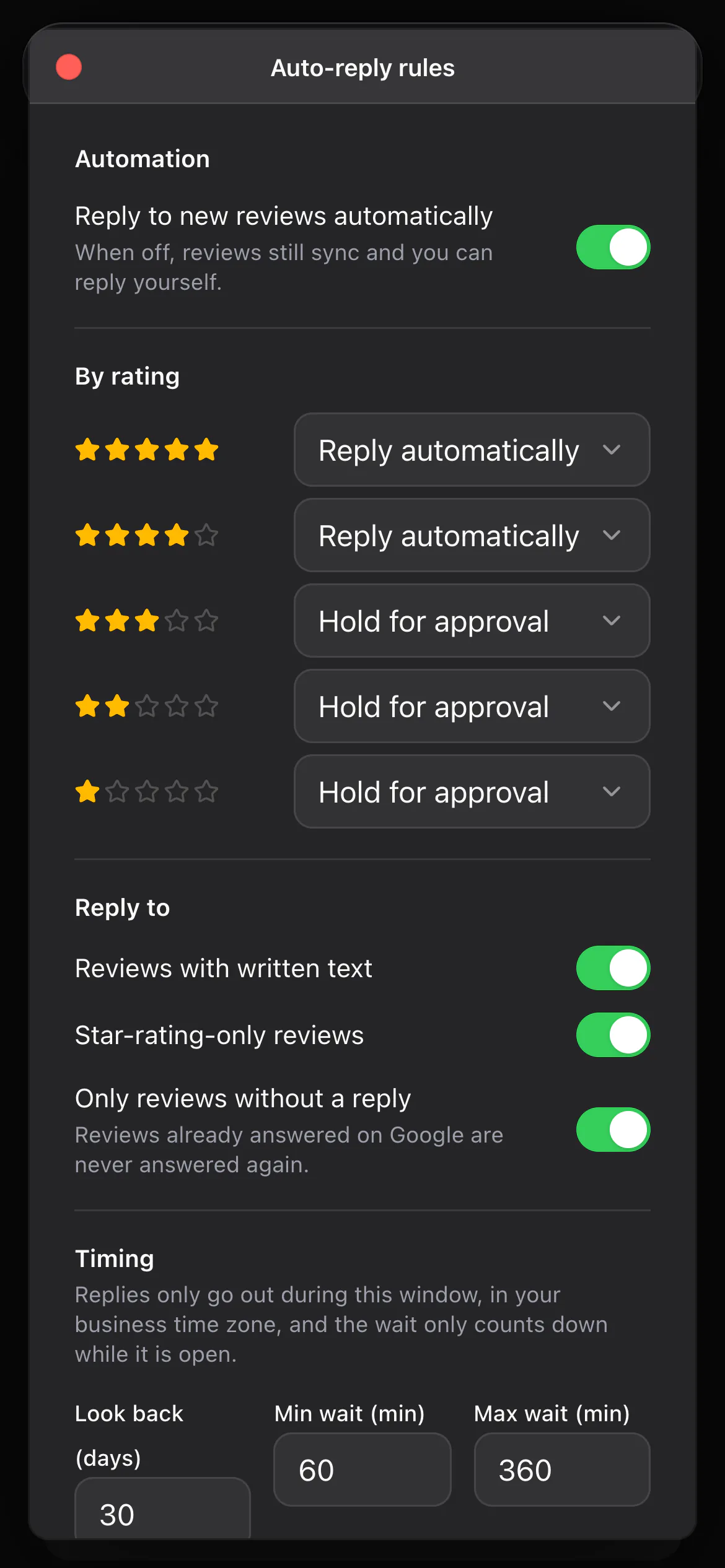
- Reply to yesterday's five star review.
- Pull in any new Google reviews.
- Publish a Google post about our holiday hours.
- Unpublish last week's blog post.
- Update the privacy policy with our new email address.
Settings
- Change our time zone to Mountain.
- Turn on tipping for invoices.
- Send invoice reminders after 14 days unpaid.
- Turn off the job scheduled email.
- Change the company phone number on our invoices.
Already handled. The details that usually get missed are built in.
A preview it cannot skip
For charges, refunds, texts and publishing, the first step can only produce a preview. The change happens on a second step, after you say yes.
Amounts are named before money moves
When it asks about a charge or refund, MeridianAI names the exact amount and the customer. A yes given for something else never counts as approval.
No wording gets around the limits
The things MeridianAI will not do are built in. It cannot delete anything or make bulk changes, however a request is phrased.
It knows what is switched on
If texting or tipping is turned off on your website, MeridianAI says so and points you to where it can be turned on.
Keep exploring.
KPIs and profit. Revenue, collected, outstanding, and profit for any period, each one click from the records behind it.
What runs on its own. Reminders, repeat visits, review replies, and posts that go out without anyone clicking.
Questions and answers
Can MeridianAI change several records at once?
No. It works on one record at a time, on purpose. The one exception is closing out jobs that already have a paid invoice, where it reports the count first and waits for your yes.
Does MeridianAI need texting turned on to send texts?
Yes. Texting is an add-on to MeridianOS, and MeridianAI can read and send texts once it is on for your website. If it is off, MeridianAI explains the feature and points you to Stack Digital.
Can I see what MeridianAI has changed?
Yes. Every action MeridianAI takes is recorded in History. It lists each change newest first, with a plain summary and the admin who asked.
Does MeridianAI work in the app?
Yes. Admins can talk to MeridianAI or type to it in the MeridianOS app. Answers come with the same charts and job map you see on the web.
Bring your own questions for MeridianAI.
We will run real requests on a live MeridianOS™ system so you can see each preview and History entry. Tell us what you do and we will reply within the hour.